
Group timelines
Share one feed with several clients at once to run a cohort or communicate across a gym.

A group timeline is shared with several clients at once. It is the cleanest way to run a cohort or communicate across a gym without messaging everyone individually.
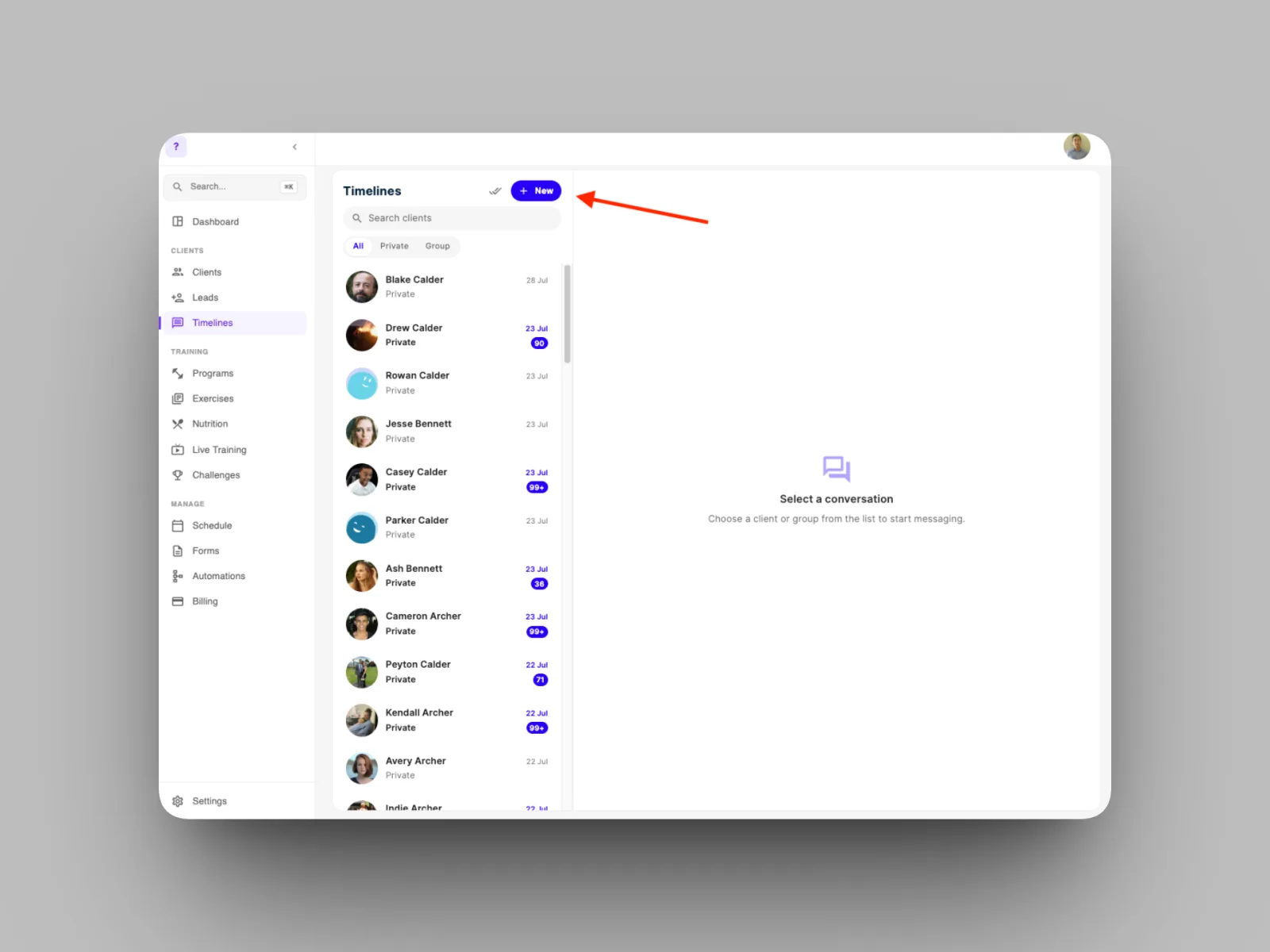
- On the Timelines page, select “New”
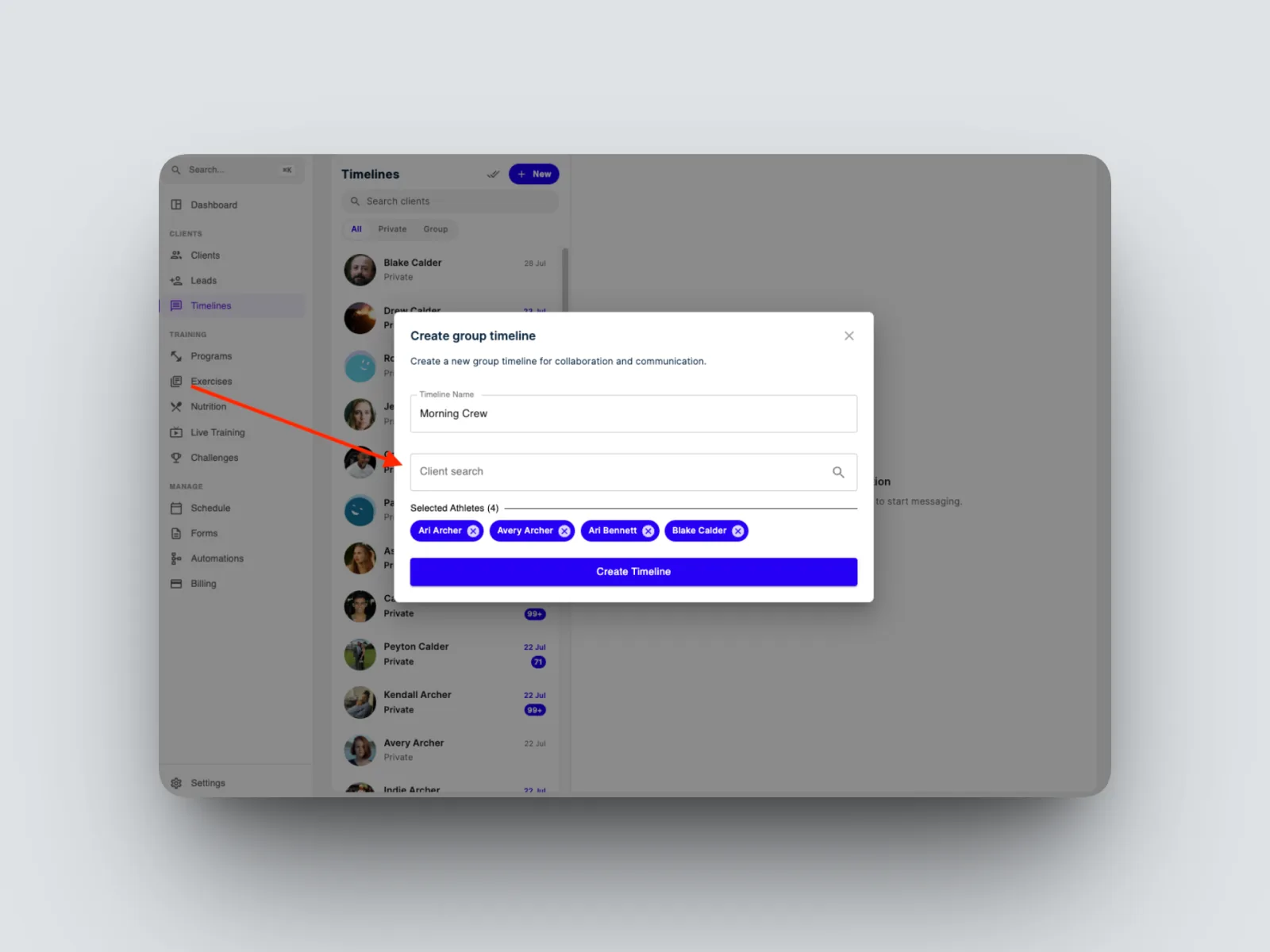
- Name the group and add the clients you want in it.
- Post messages, media, and files to the group exactly as you would in a private timeline.
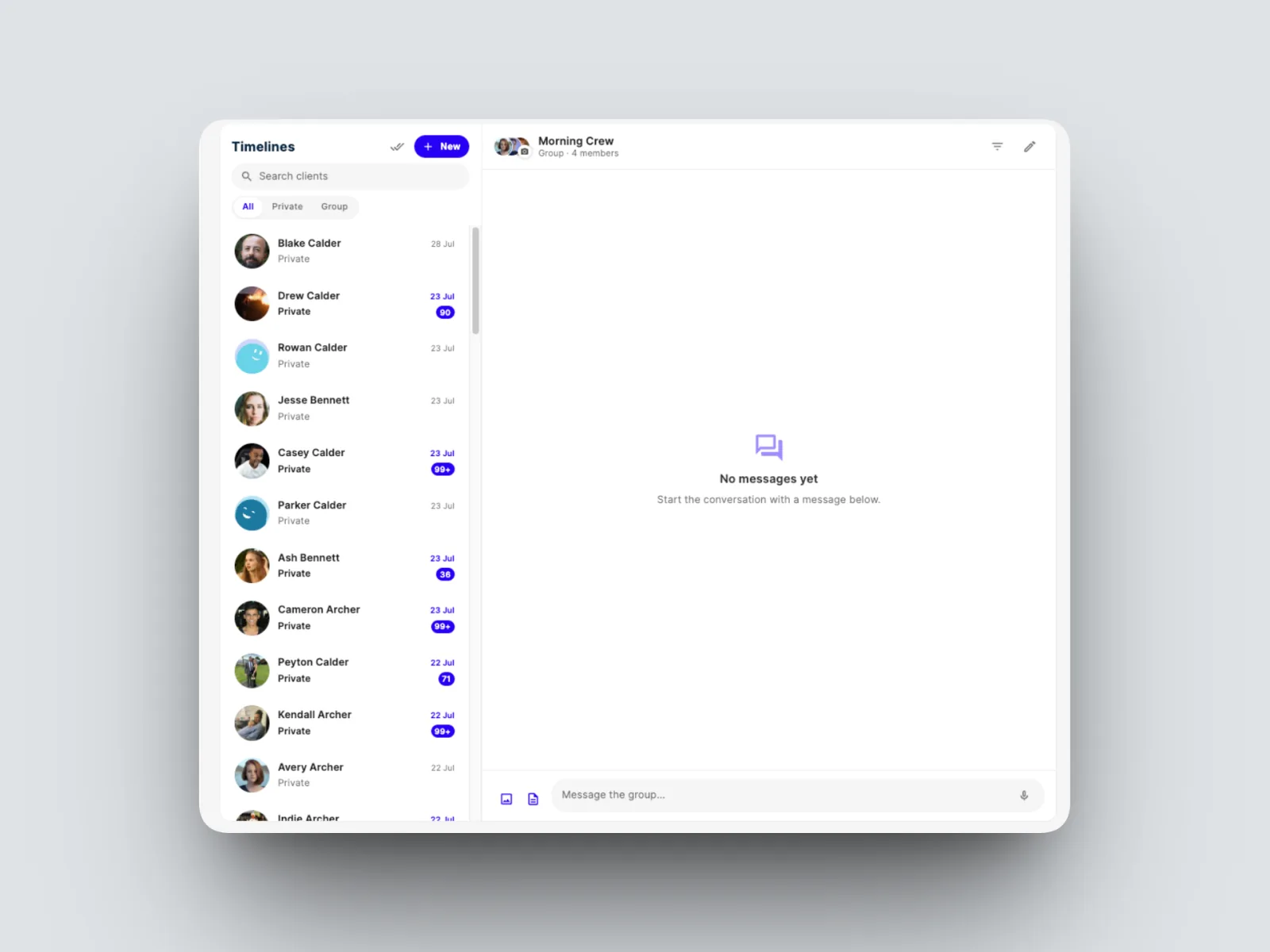
Everyone in the group sees what you post and can take part. To move between your one-to-one and group feeds, use the Private and Group filters on the Timelines page.