
Working your leads through the pipeline
Log calls and notes and move leads along your deal stages toward a sale.

As you talk to a lead, you record what happened and move them along your deal stages, so you always know where every prospect sits and what to do next.
- Open a lead from your pipeline.
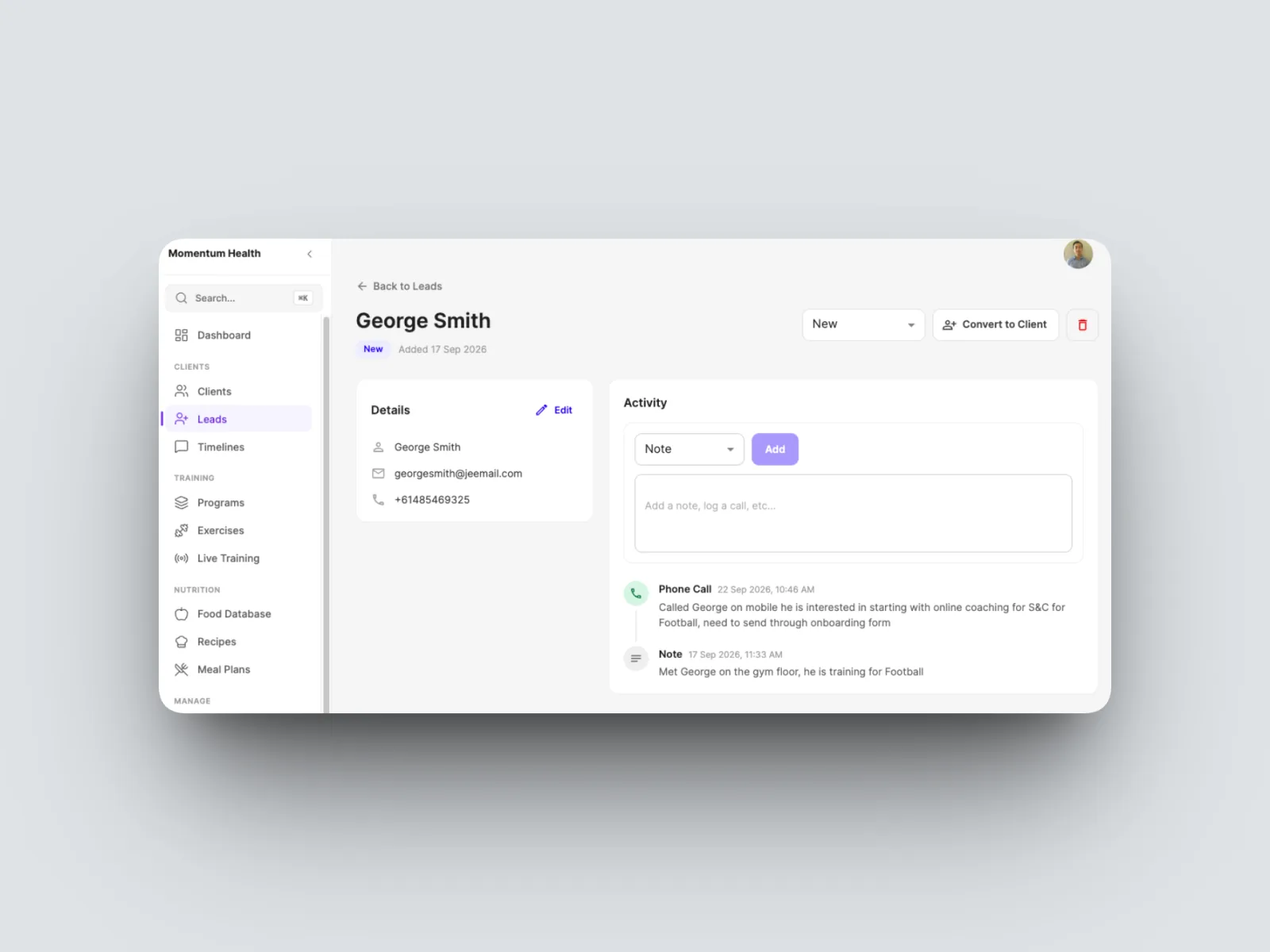
- Log what happened in the Activity panel: choose Note or log a call, type it in, and select Add. Everything stays on the lead as a running history.
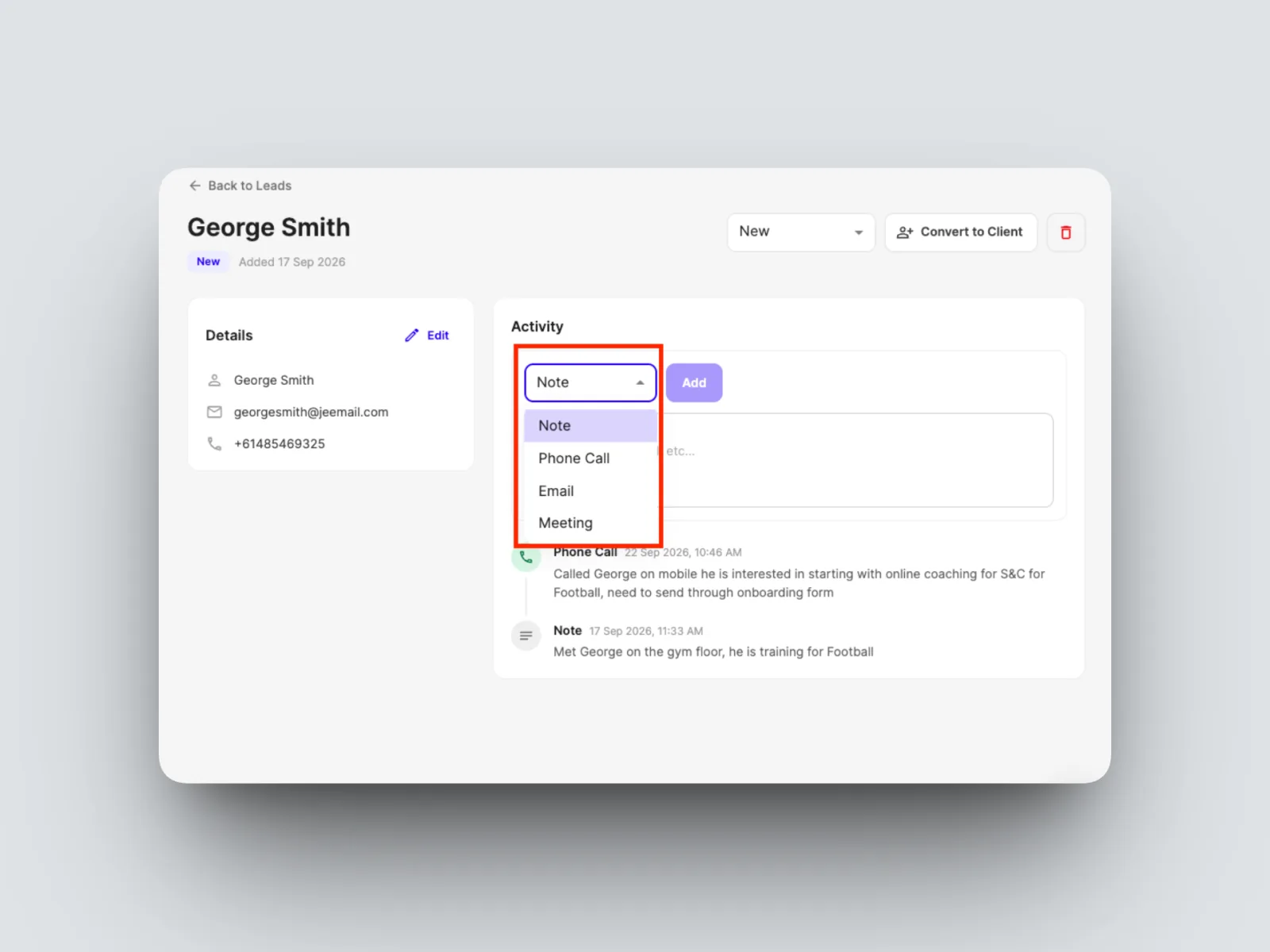
- Move the lead along by changing its stage from the status dropdown at the top of the page.
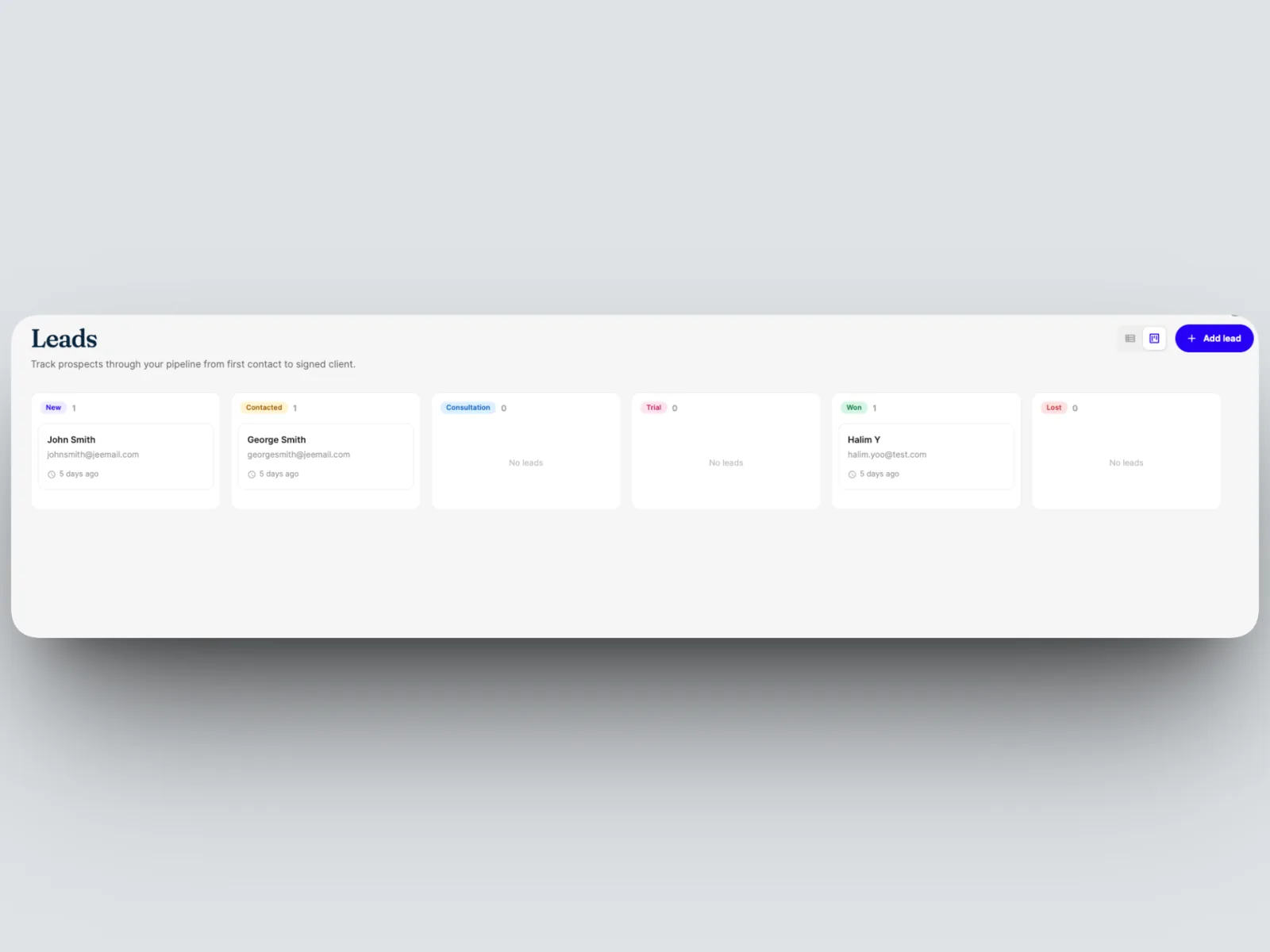
Keep moving leads along until they are ready to come on board. See Converting a lead into a client.