
Setting up habit reminders
Use a recurring form as a daily habit tracker to keep hydration, steps or sleep front of mind.

Forms also work as a daily habit tracker. You set a recurring reminder for a habit you want your client to build, and they log it each day from a simple prompt. It is the cleanest way to keep something like hydration, steps, or sleep front of mind between sessions.
- Open Forms from the left-hand menu and create a new form.
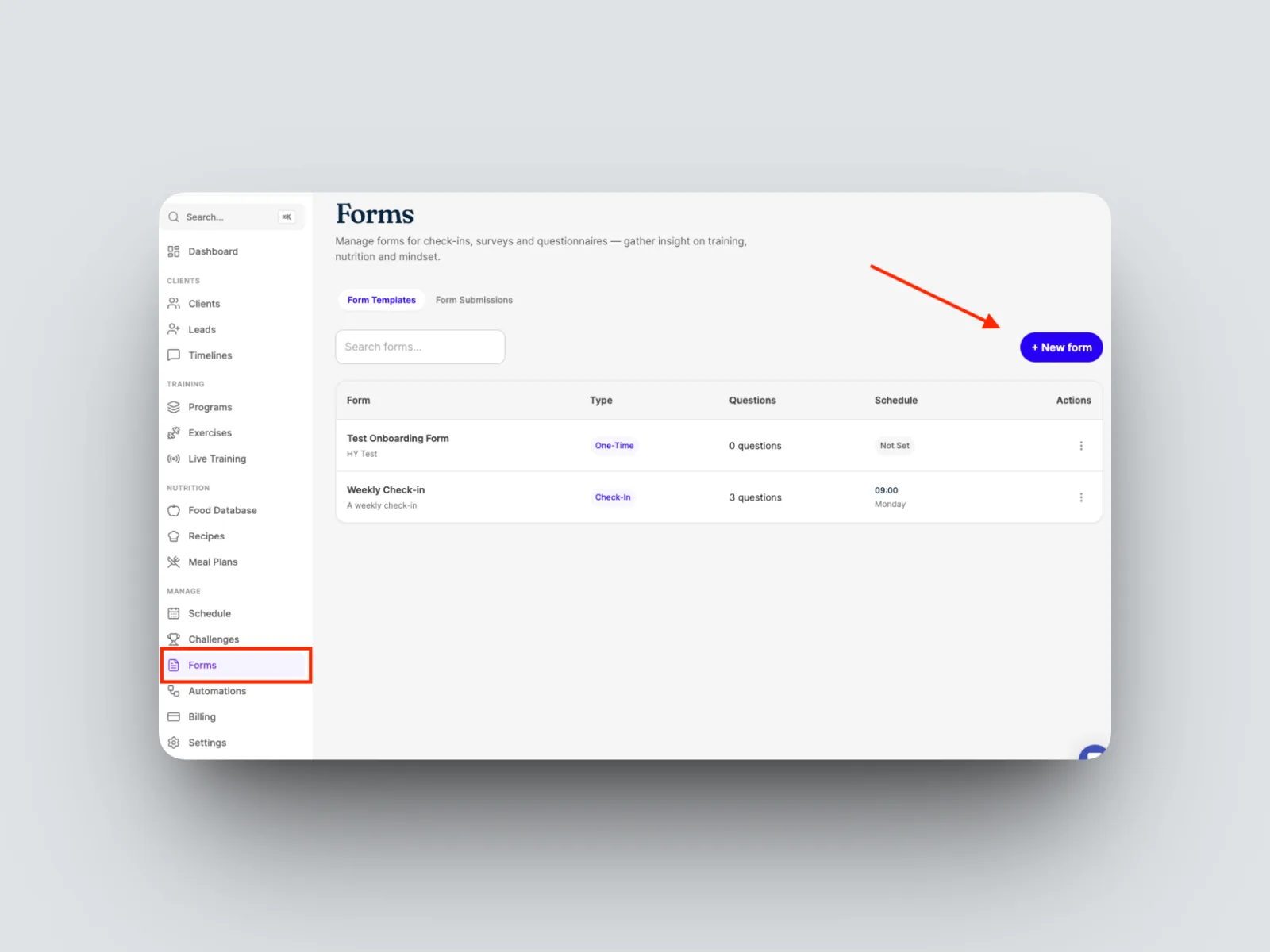
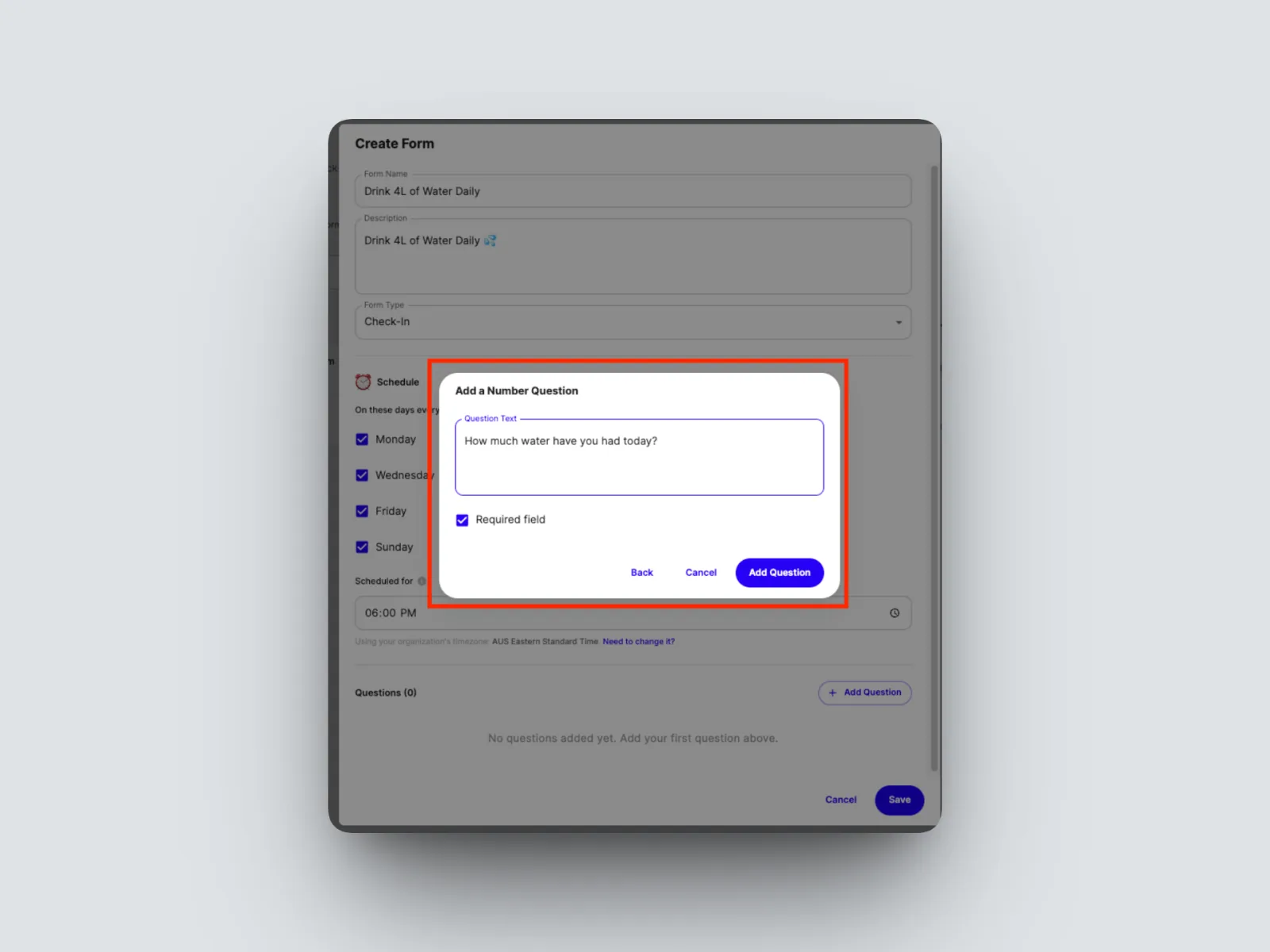
- Name the habit, for example Drink 4 litres of water per day.
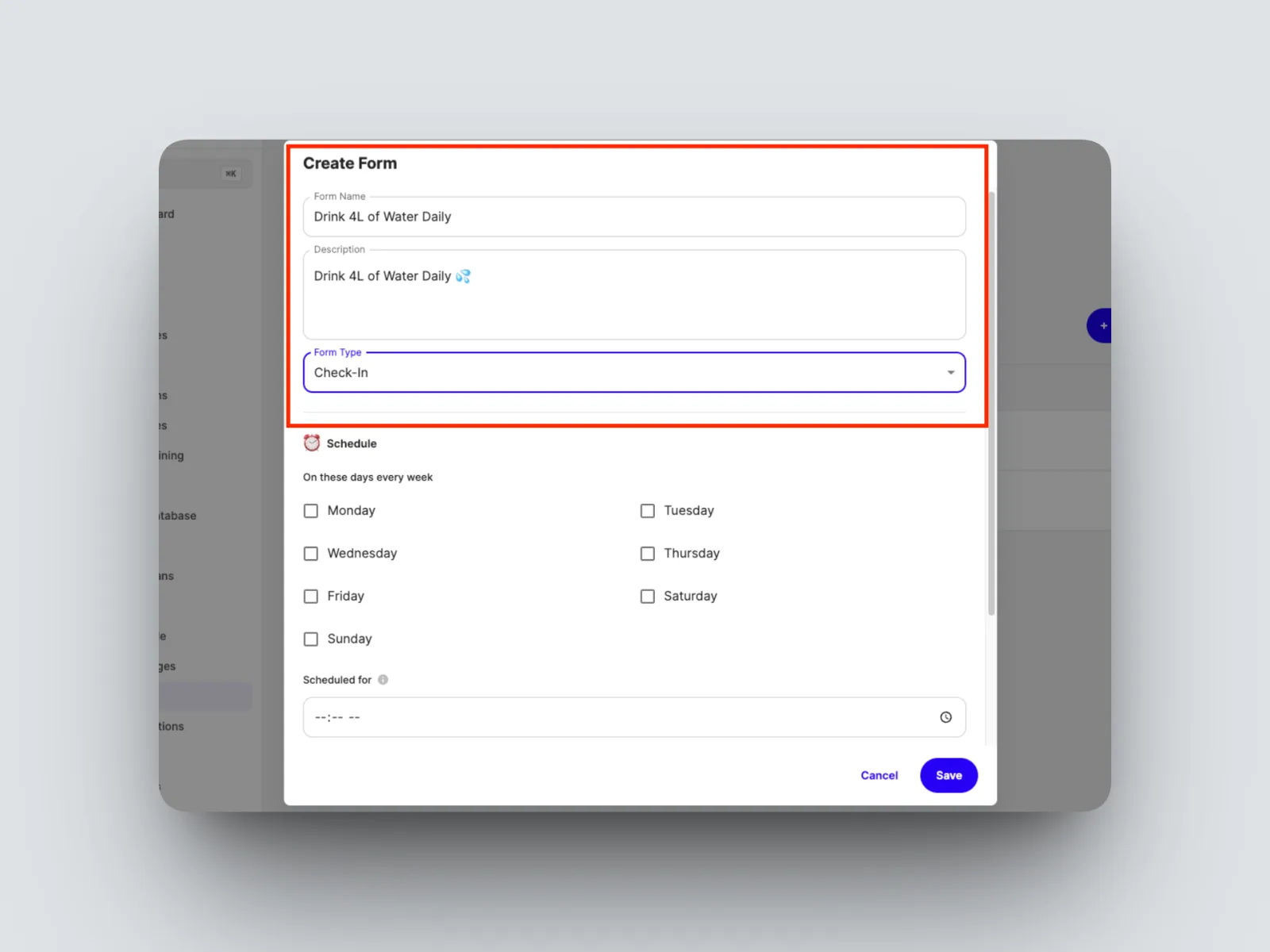
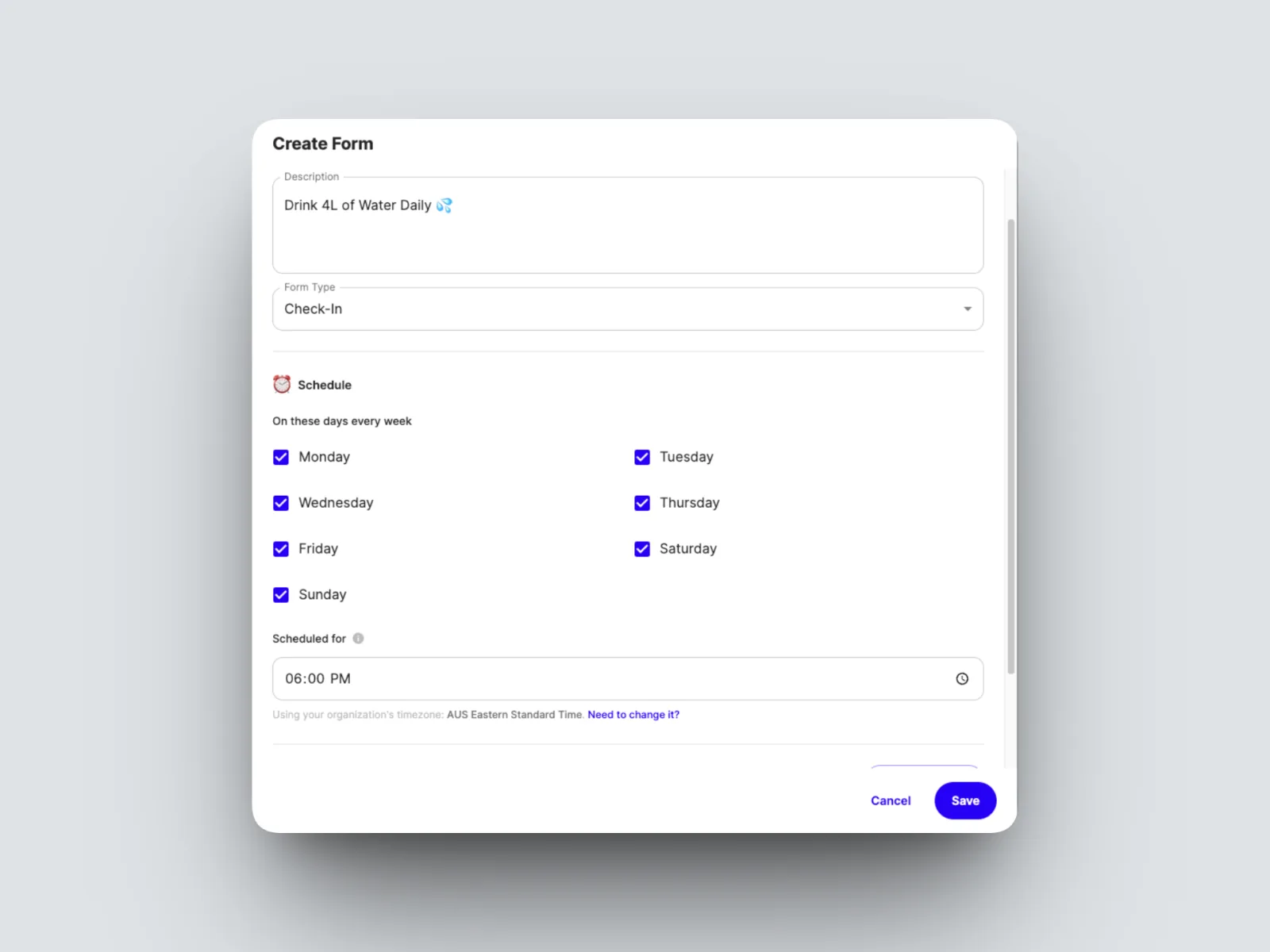
- Set the time and date you’d like for your client to be prompted
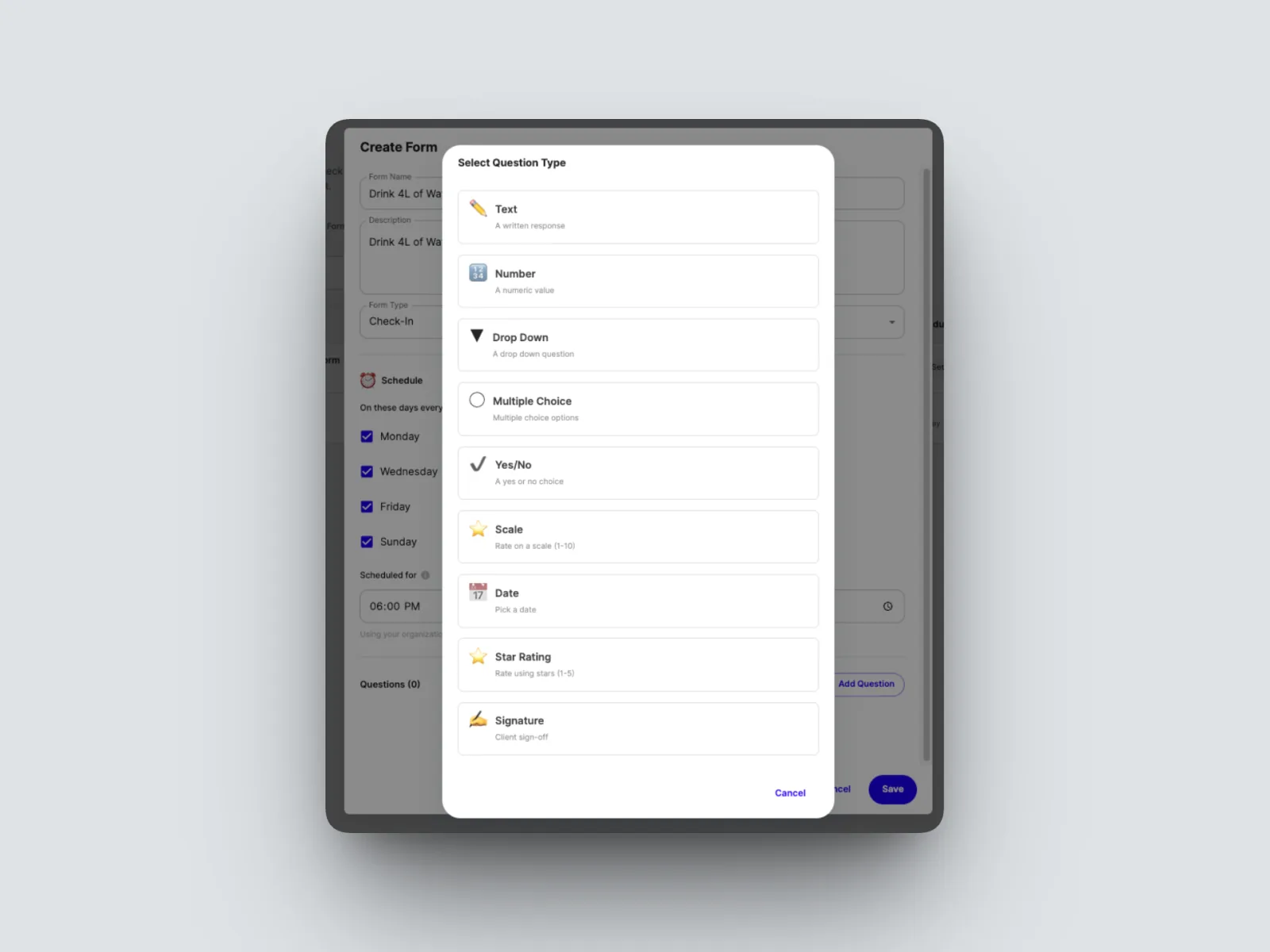
- Add your question type, feel free to get creative with the Habits you’d like your clients to track as there are many question types you can use
- Save the form and assign.
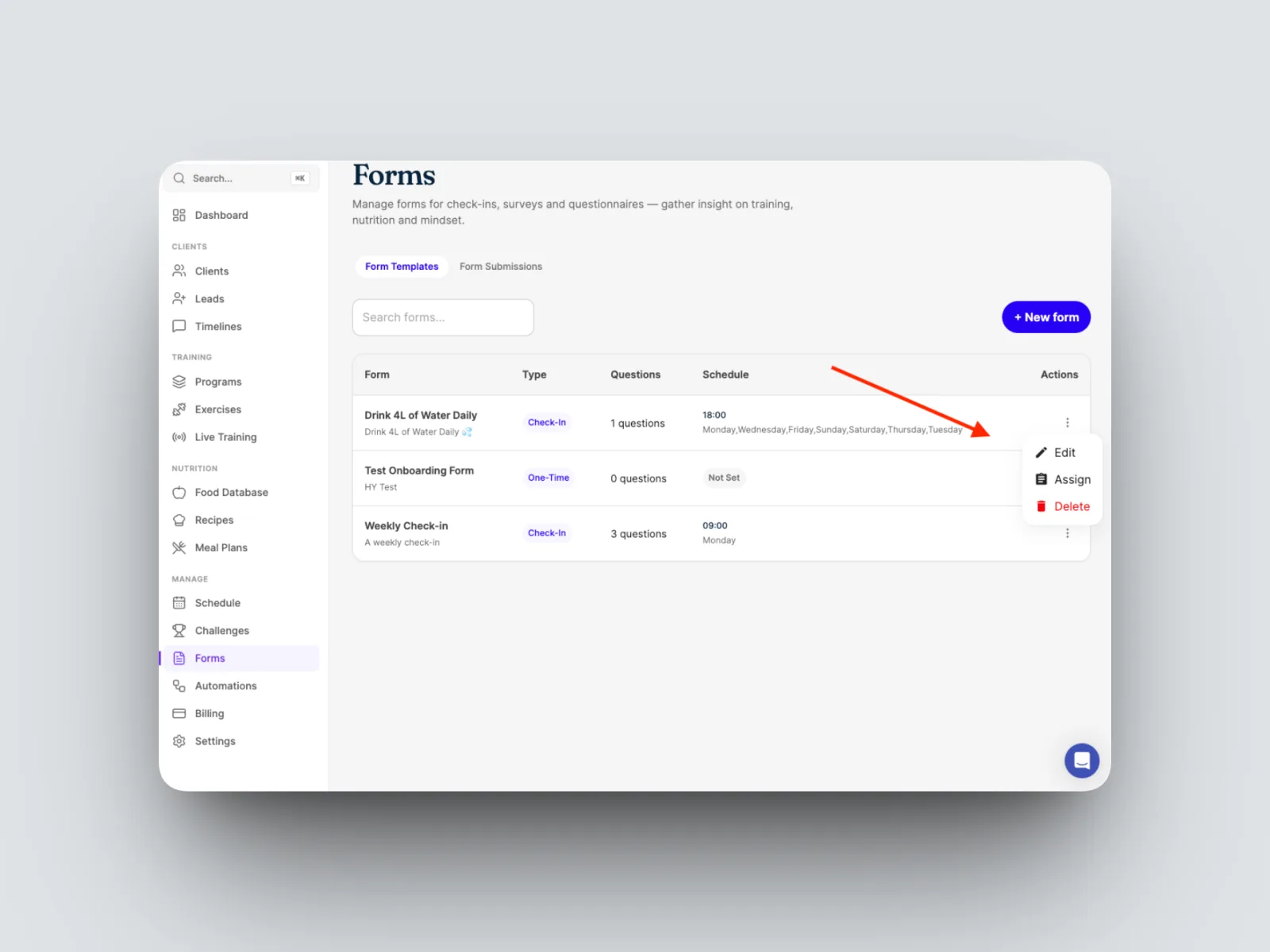
The reminder goes to your client at the time you set, every day, so the habit stays front of mind and you can see how consistently they are hitting it.