
Setting up Load progression
Increase prescribed weight across a block by a fixed amount or a percentage of the base load.

Load progression increases the prescribed weight across the block. You can progress by a fixed amount or by a percentage of the base load.
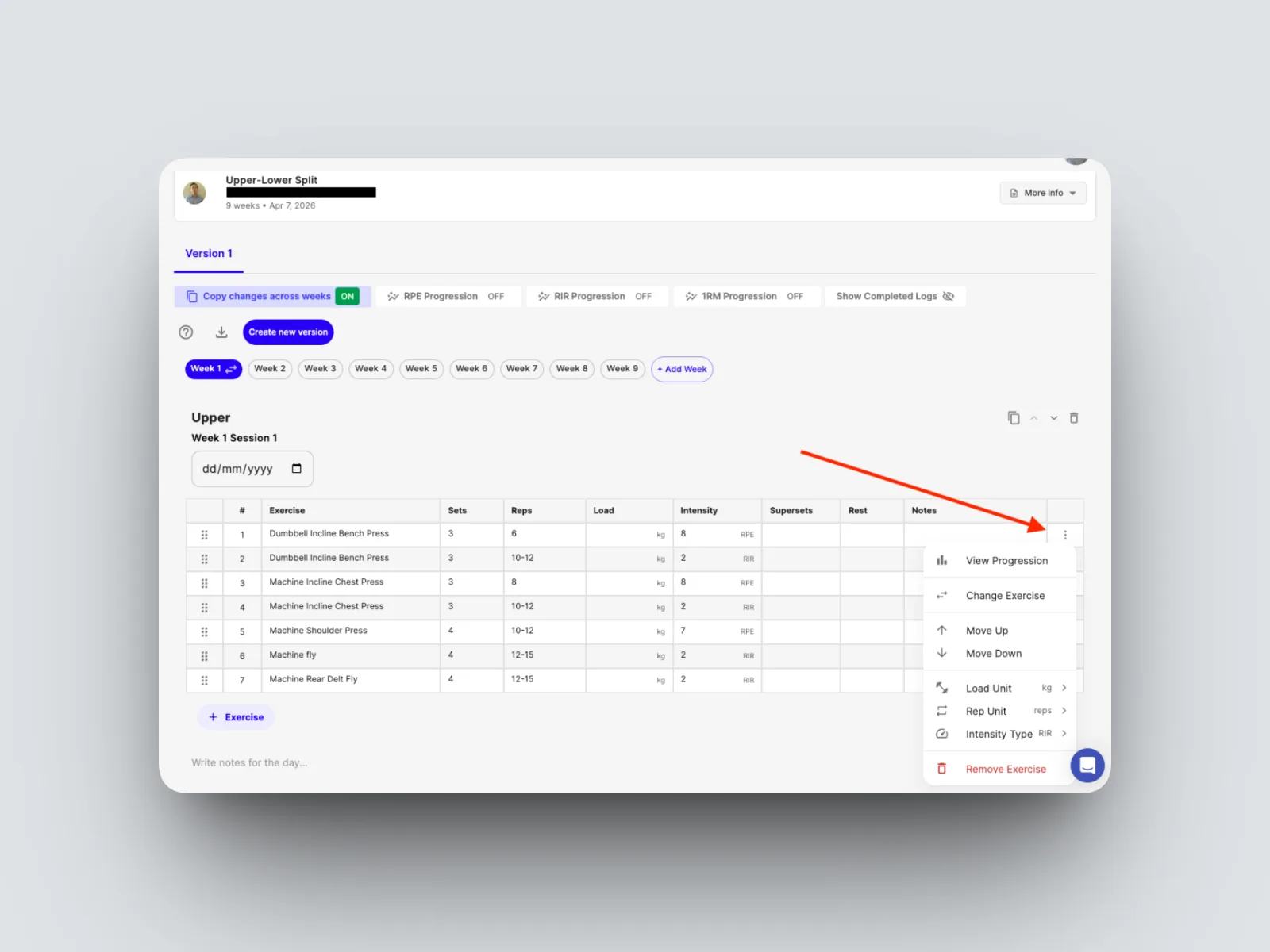
- Navigate to the 3 dots and on the row of the exercise and click to open up the options for that row and click “View Progression”.
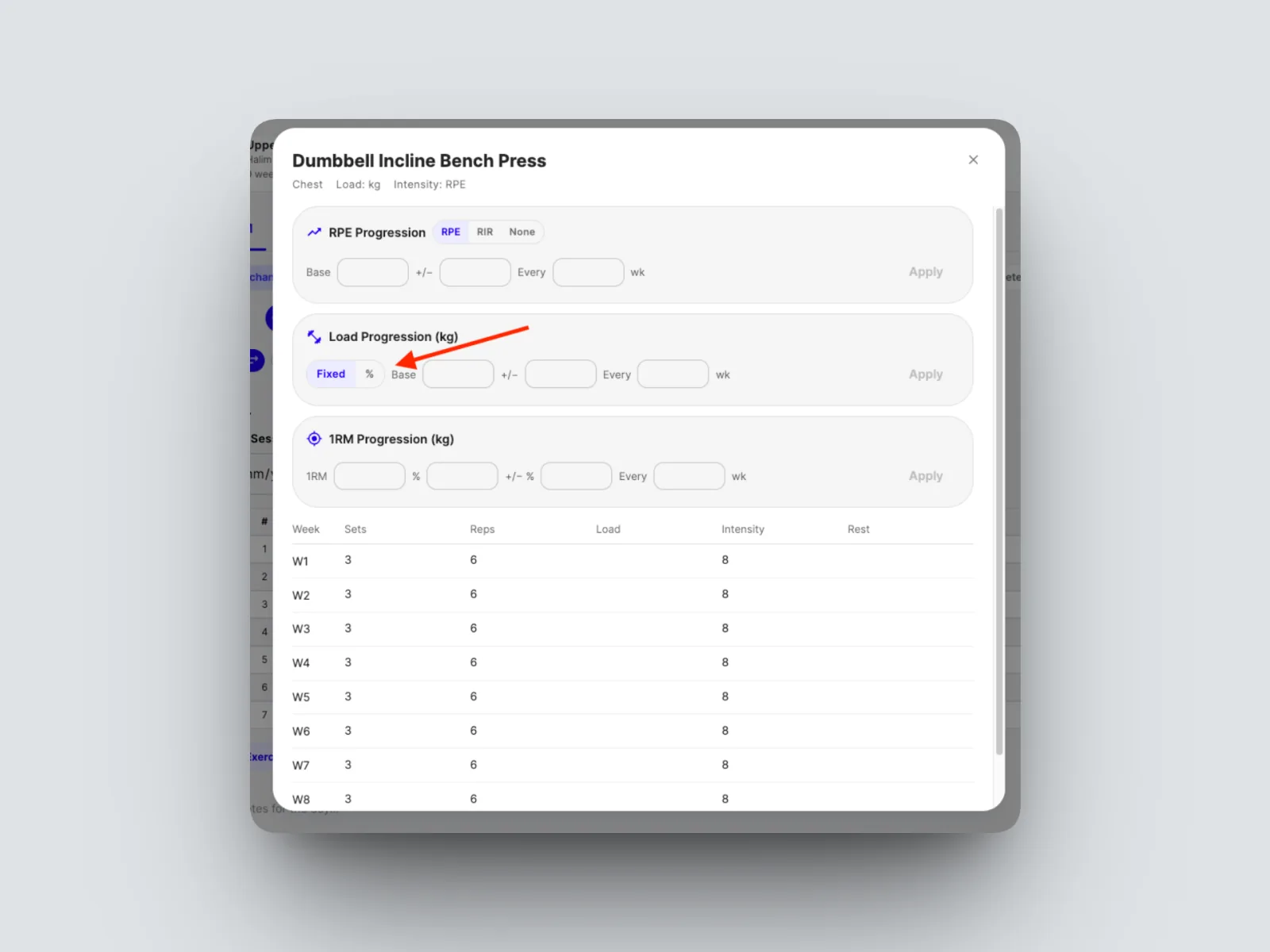
- Select either a Fixed base weight or %
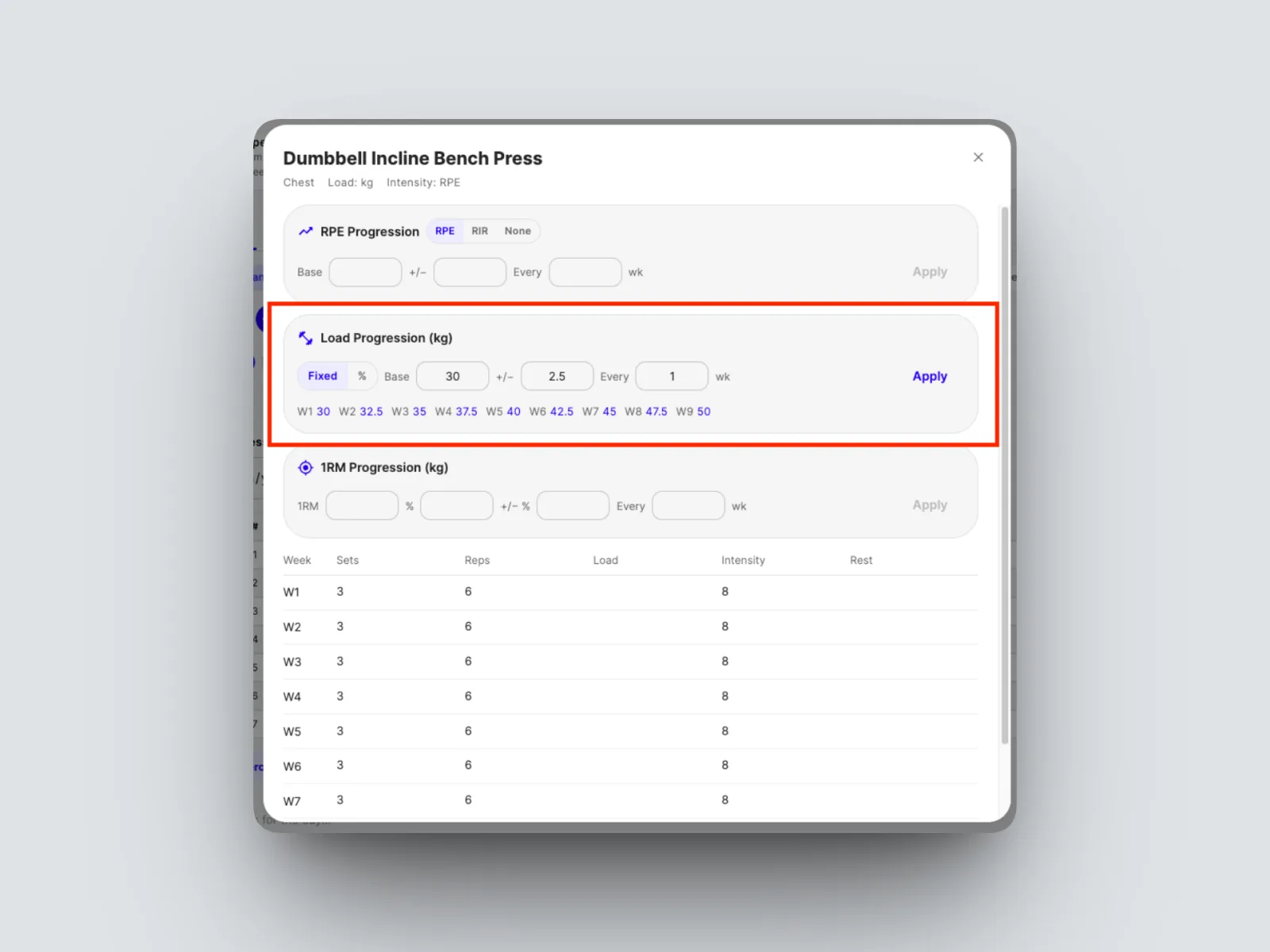
- Choose how it climbs each week. For a fixed amount, enter the weight to add, for example an extra 4 kilograms each week.
- For a percentage, enter it as a whole number, so 10 means a 10% increase each week.
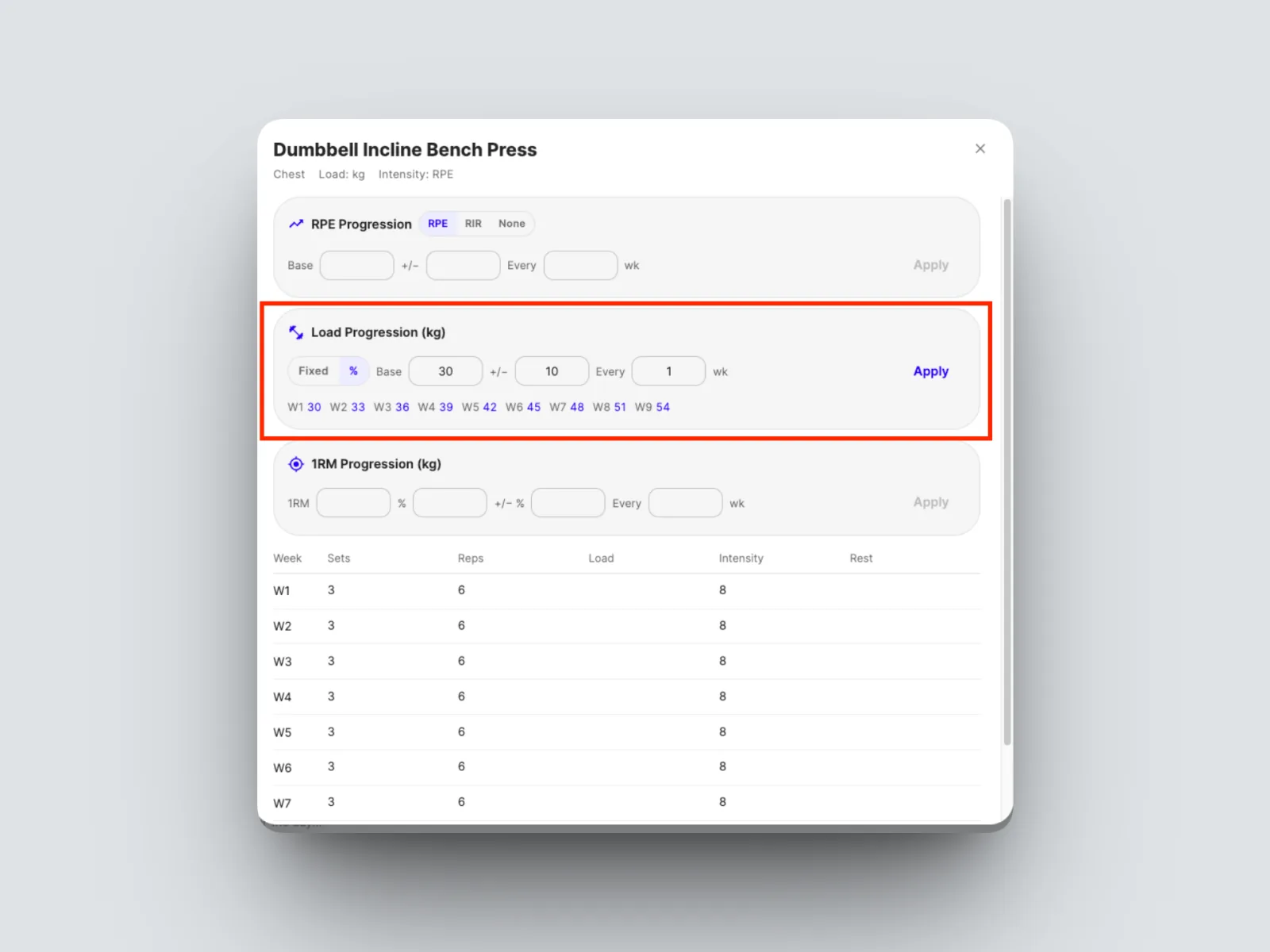
The builder adds the increase to each week of the block from your base load.