
Adding custom exercises and video demos
Add your own exercises with searchable details and attach video demonstrations.

Alongside the built-in library, you can add your own exercises and attach video demonstrations, including footage you have recorded yourself. Each exercise has a set of details that make it easier to search, filter, and prescribe.
Adding a custom exercise
- From the left-hand menu, open Exercises, then select Add exercise.
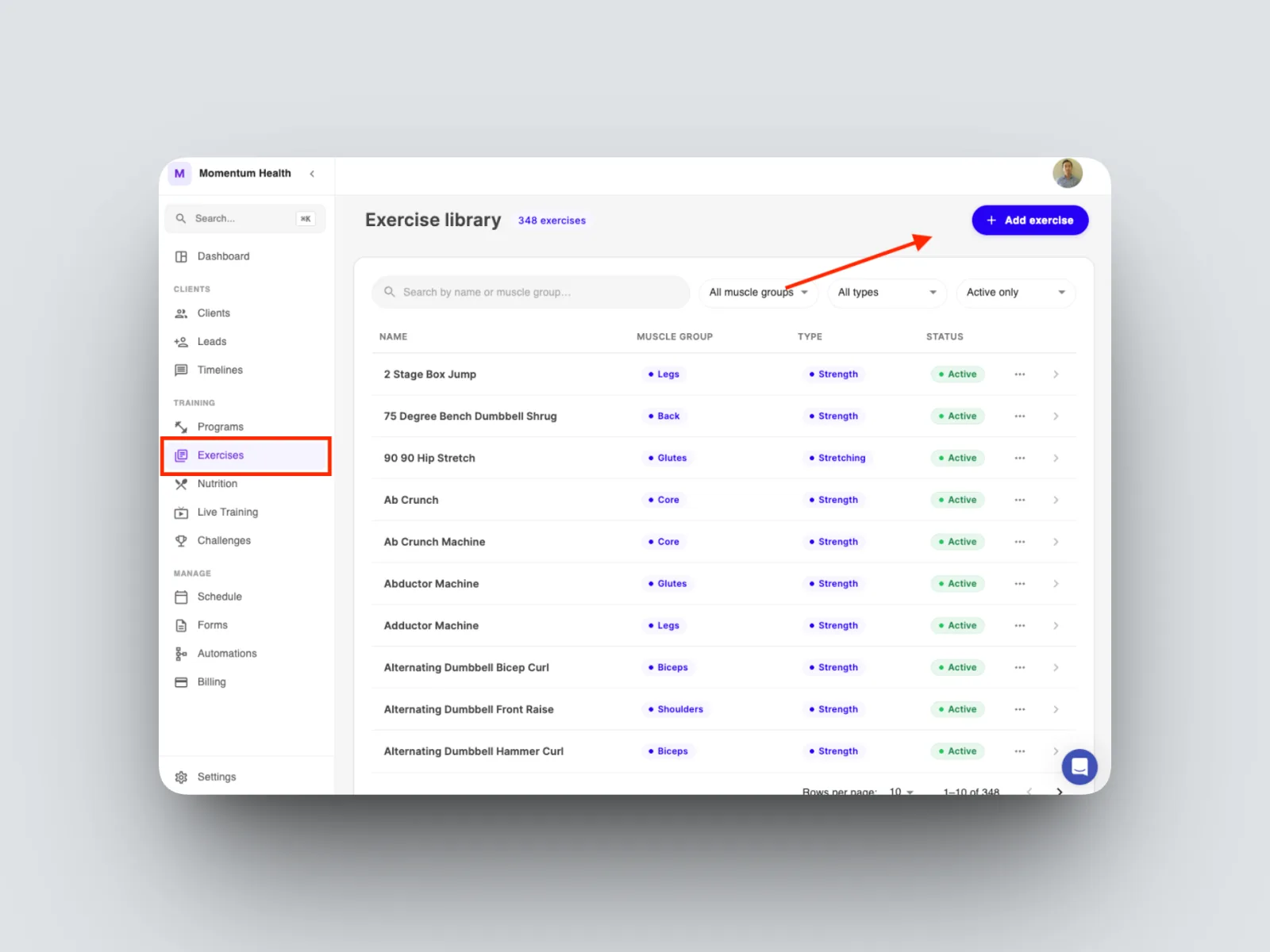
- Fill in the exercise details described below, then save.
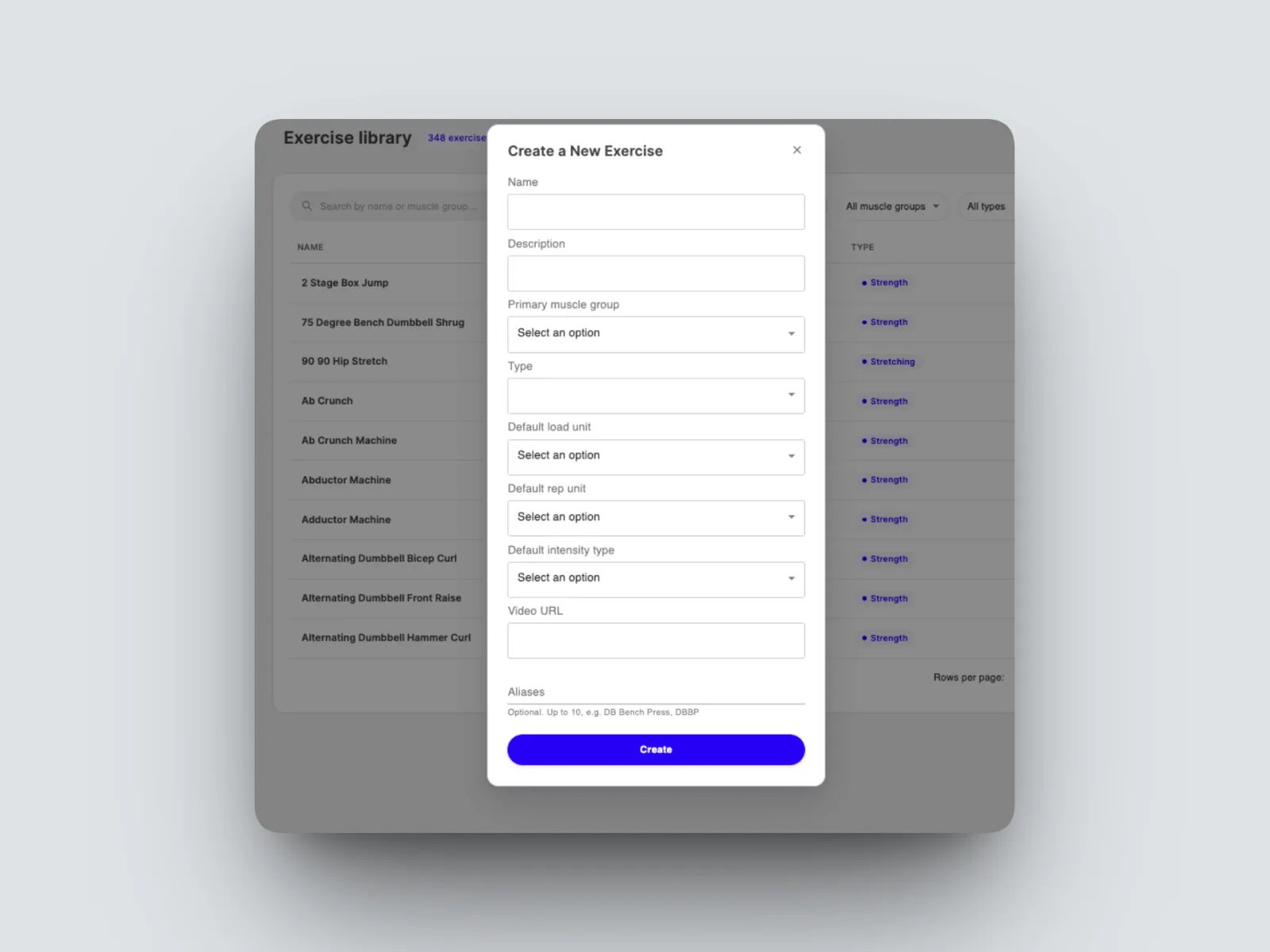
Exercise details
- Name is what the exercise is called in your library and in the builder.
- Description is where you note how the exercise should be performed.
- Aliases are shorthand names such as “BB Flat Bench Press.” Aliases are searchable, so you and your team can find the exercise by its shorthand.
- Muscle group lets you filter the library by the area an exercise trains.
- Exercise type is another way to filter your library.
- Default load unit is the unit used when you prescribe the exercise, for example kilograms, pounds, or body weight.
- Default rep unit is useful for exercises measured differently, such as a cardio exercise on the treadmill. It is not needed for standard gym lifts.
Adding or swapping a video demonstration
- Open the exercise and scroll down to the video section.
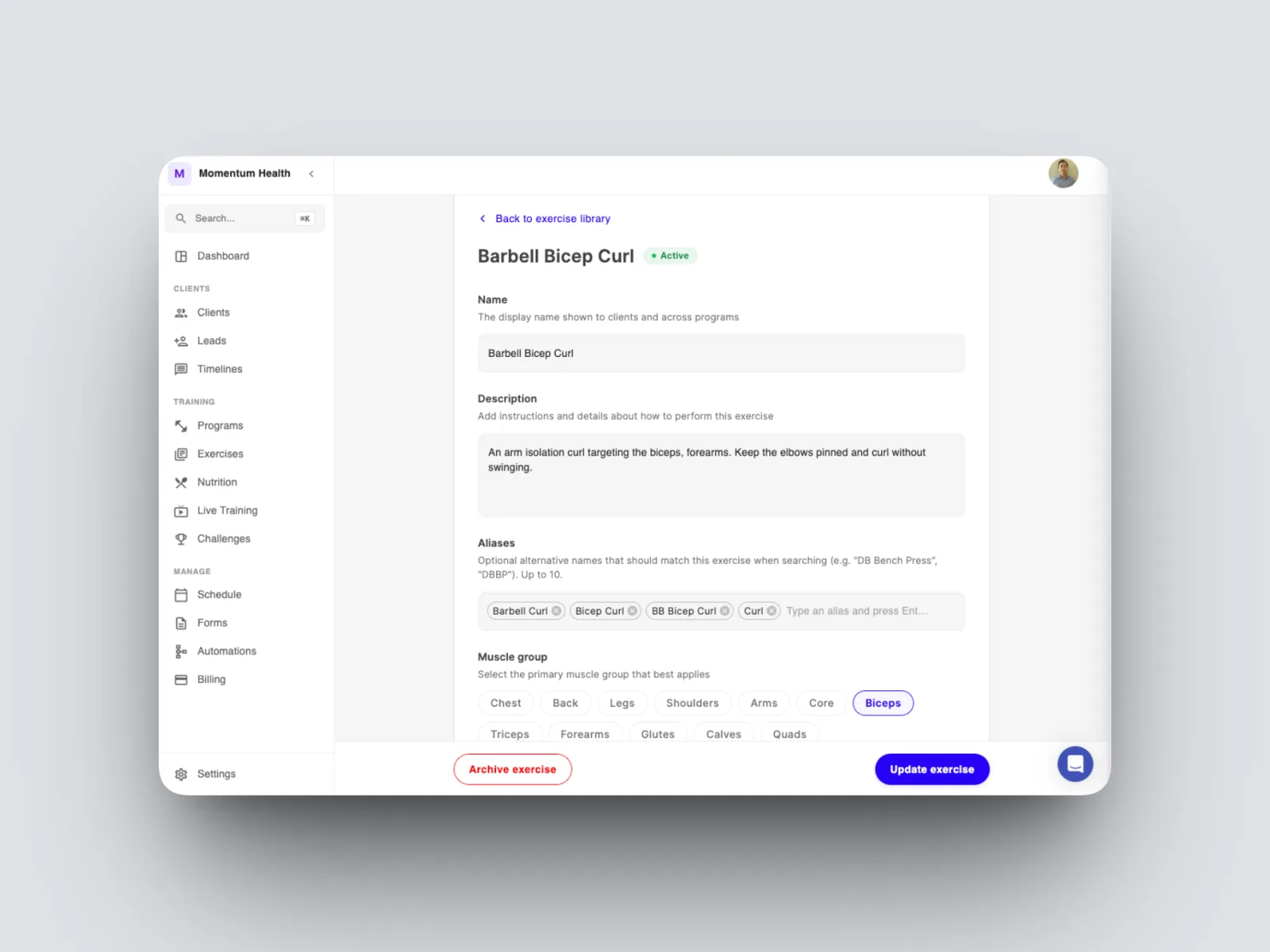
- Swap the existing video for a different one, or replace it with a video you have recorded yourself. A demonstration can be a YouTube link.
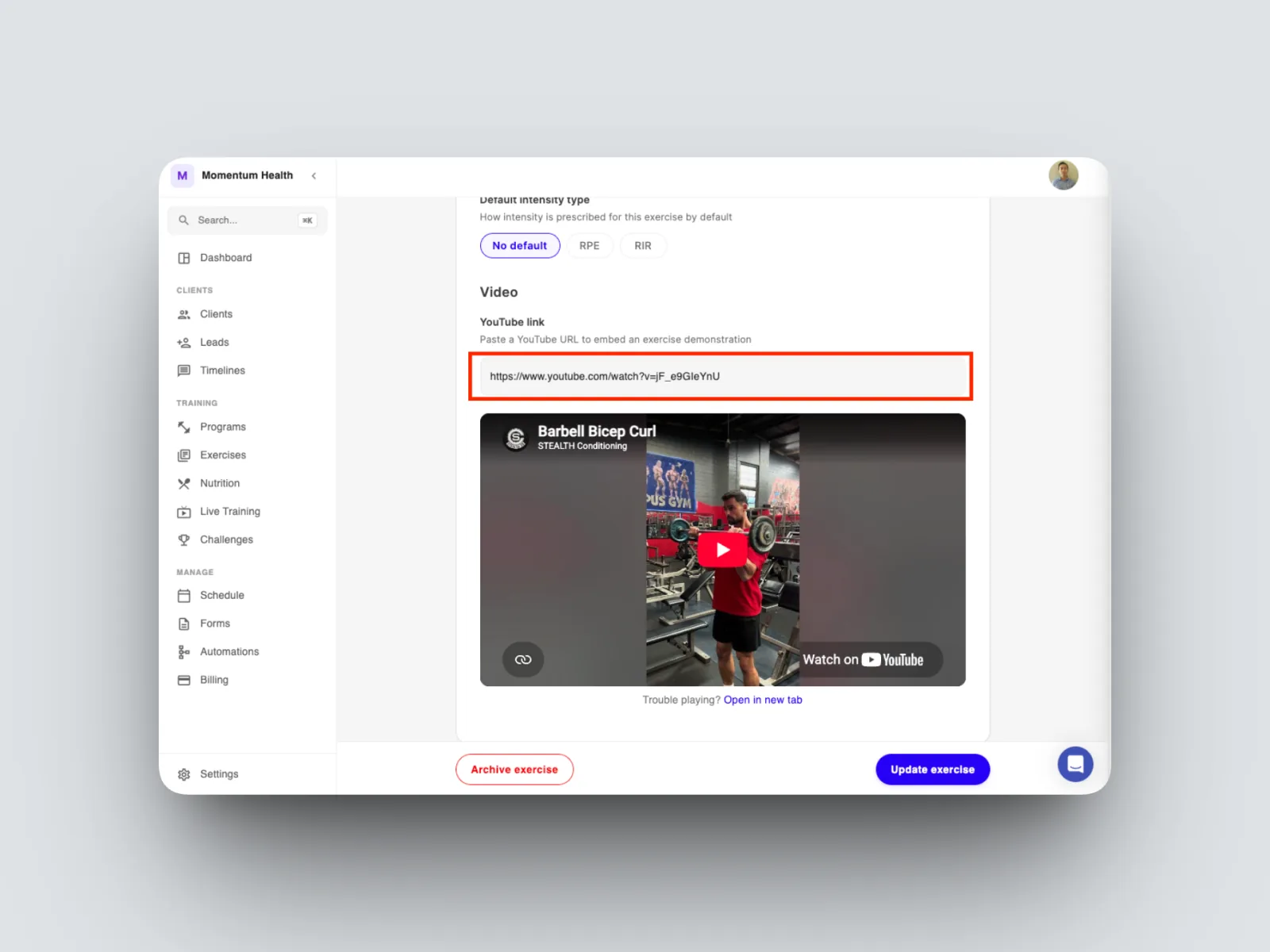
As long as an exercise has a video attached, that video appears in the program builder, so your client sees the demonstration when the exercise is prescribed.