
Building intake forms
Collect everything you need from a new client in one form, with a real 18-question intake you can copy.

An intake form is how you collect everything you need from a new client in one go, before you start coaching them. You build it once in Forms and send it to each new client as they come on board.
Building the form
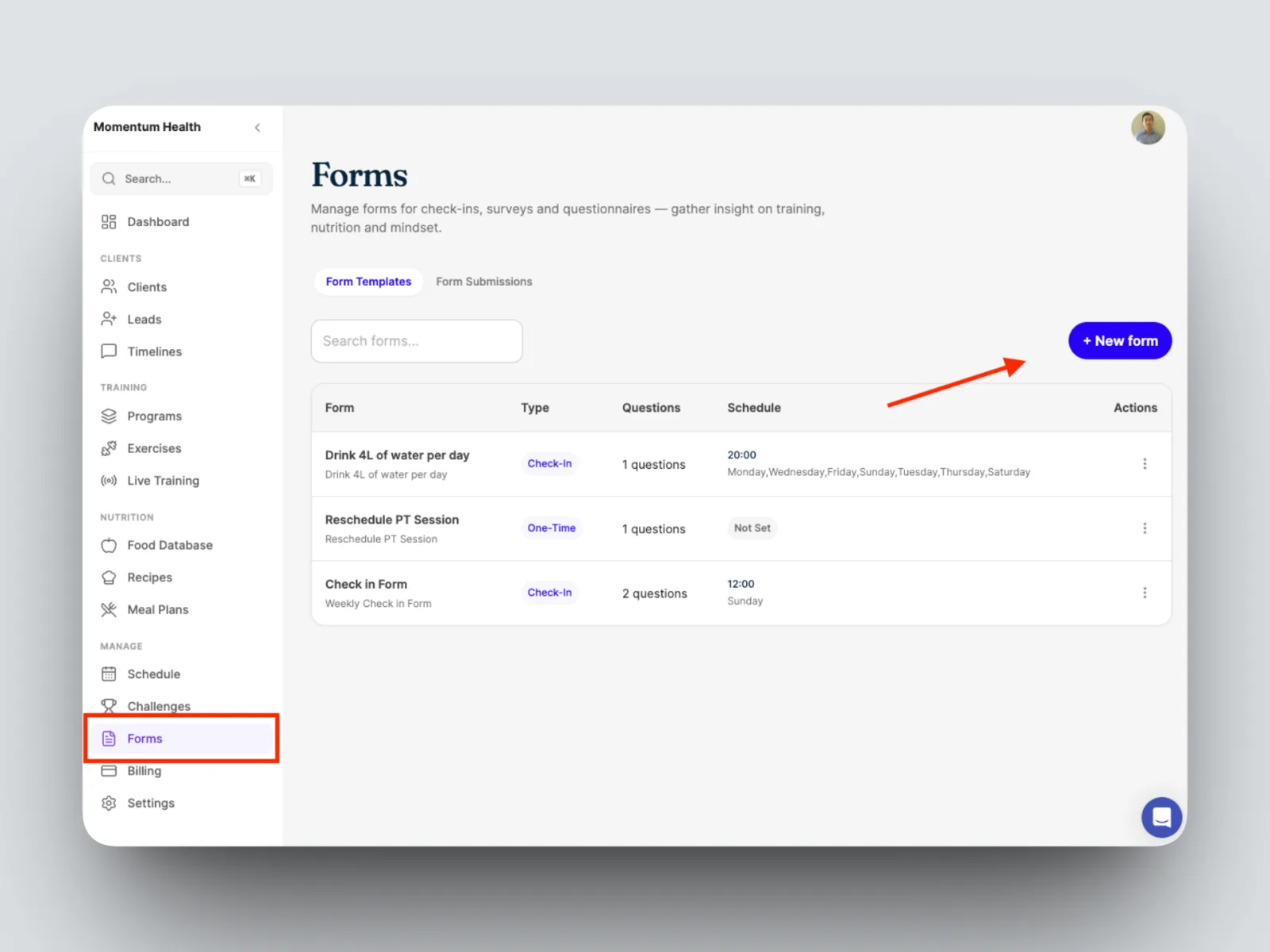
- Open Forms from the left-hand menu and create a new form, or open an existing form and select Edit Form.
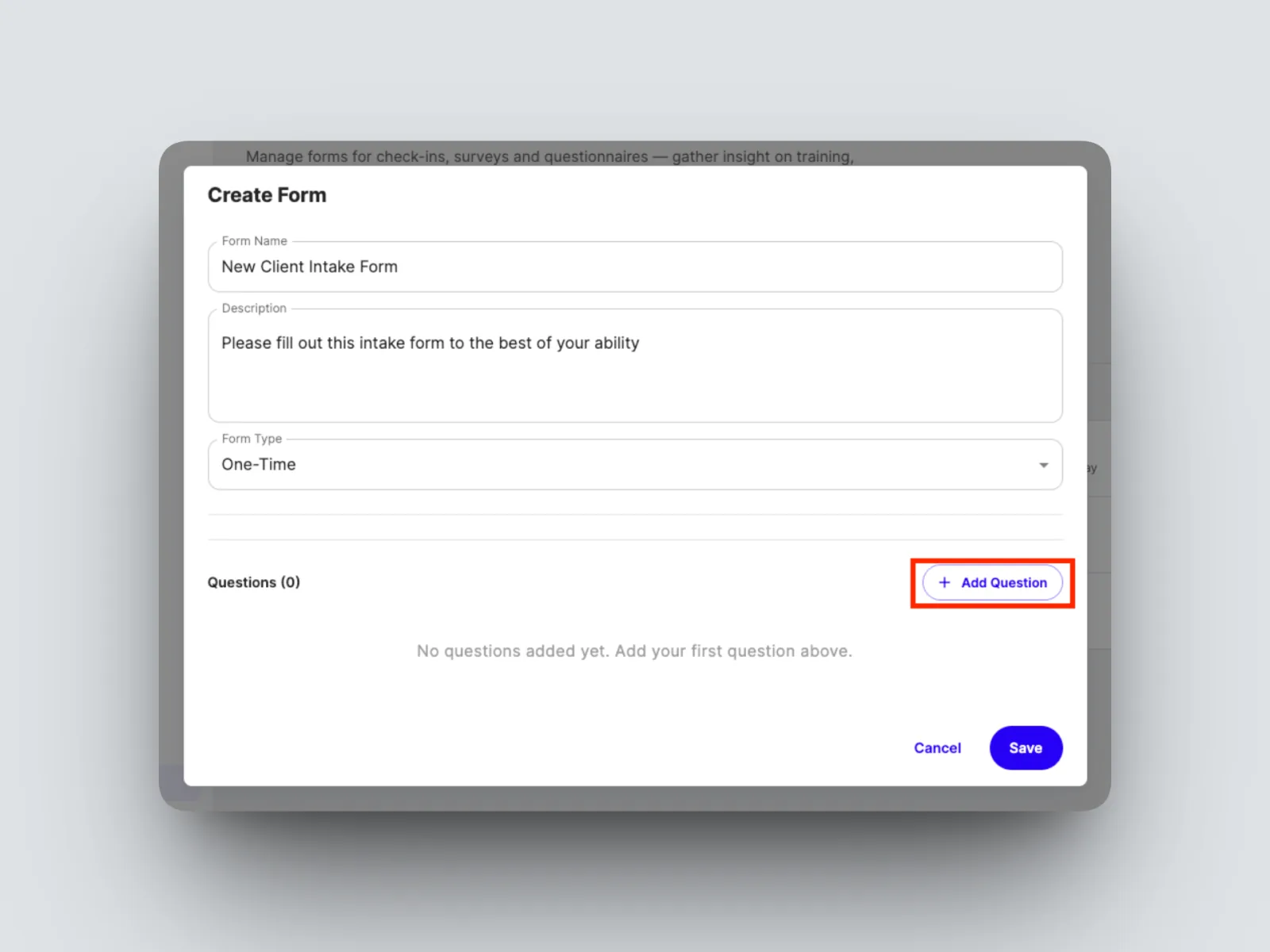
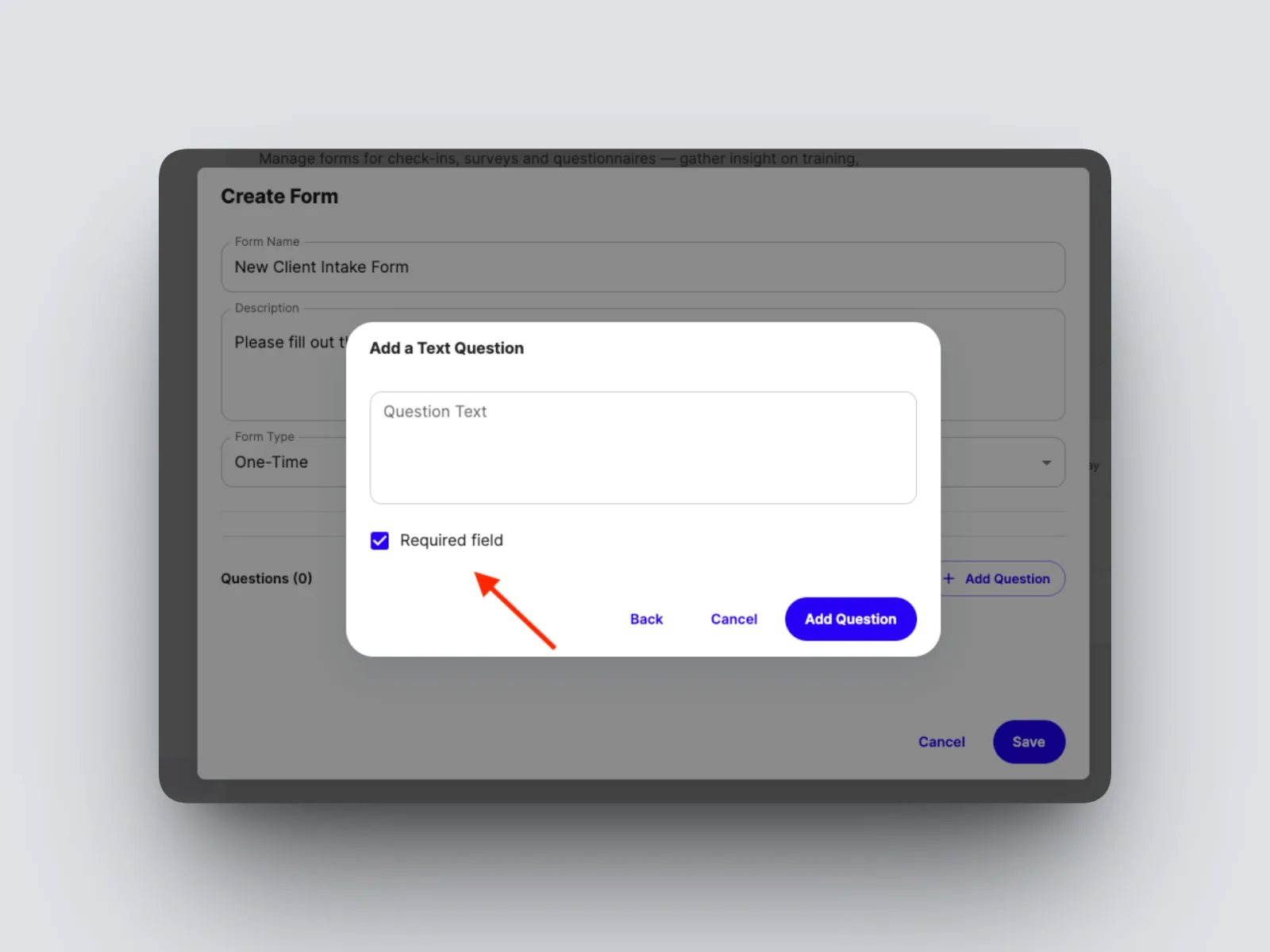
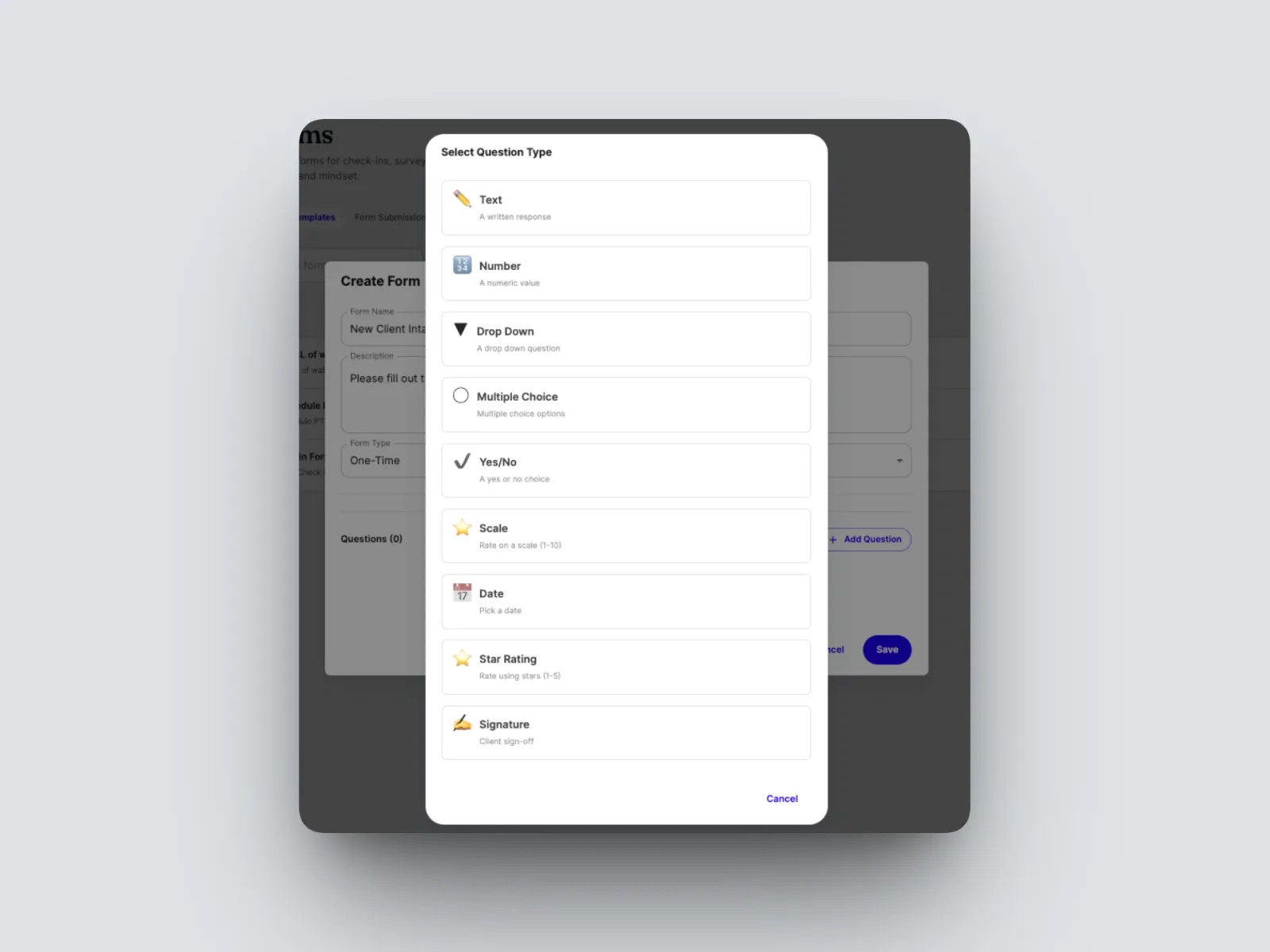
- Select Add Question, choose its type: Text, Number, Yes/No, scale, or date. Mark it Required if you need an answer before the client can submit.
- Reorder questions by dragging the handle on the left of each one, and remove any with the delete icon.
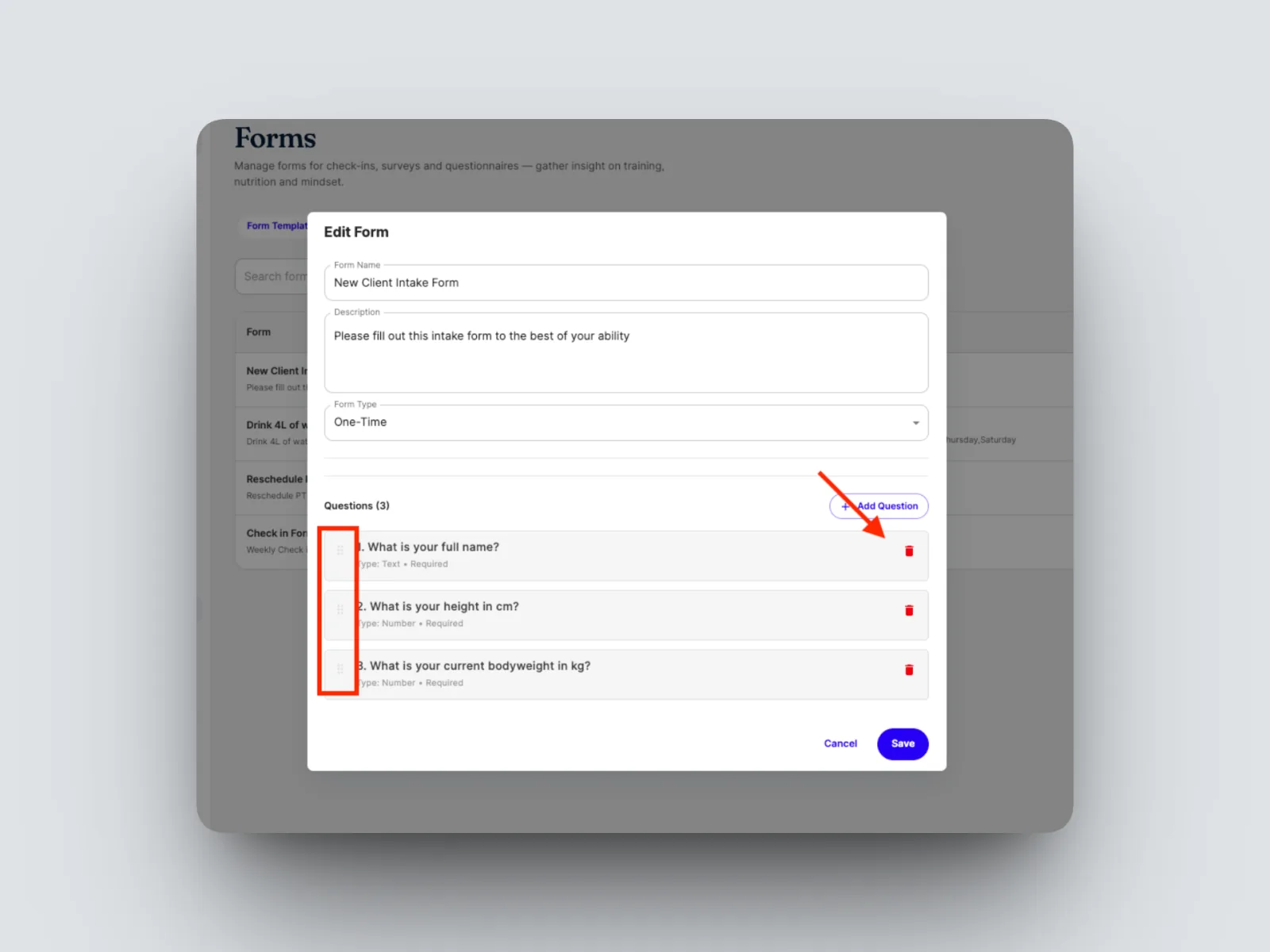
- Select Save.
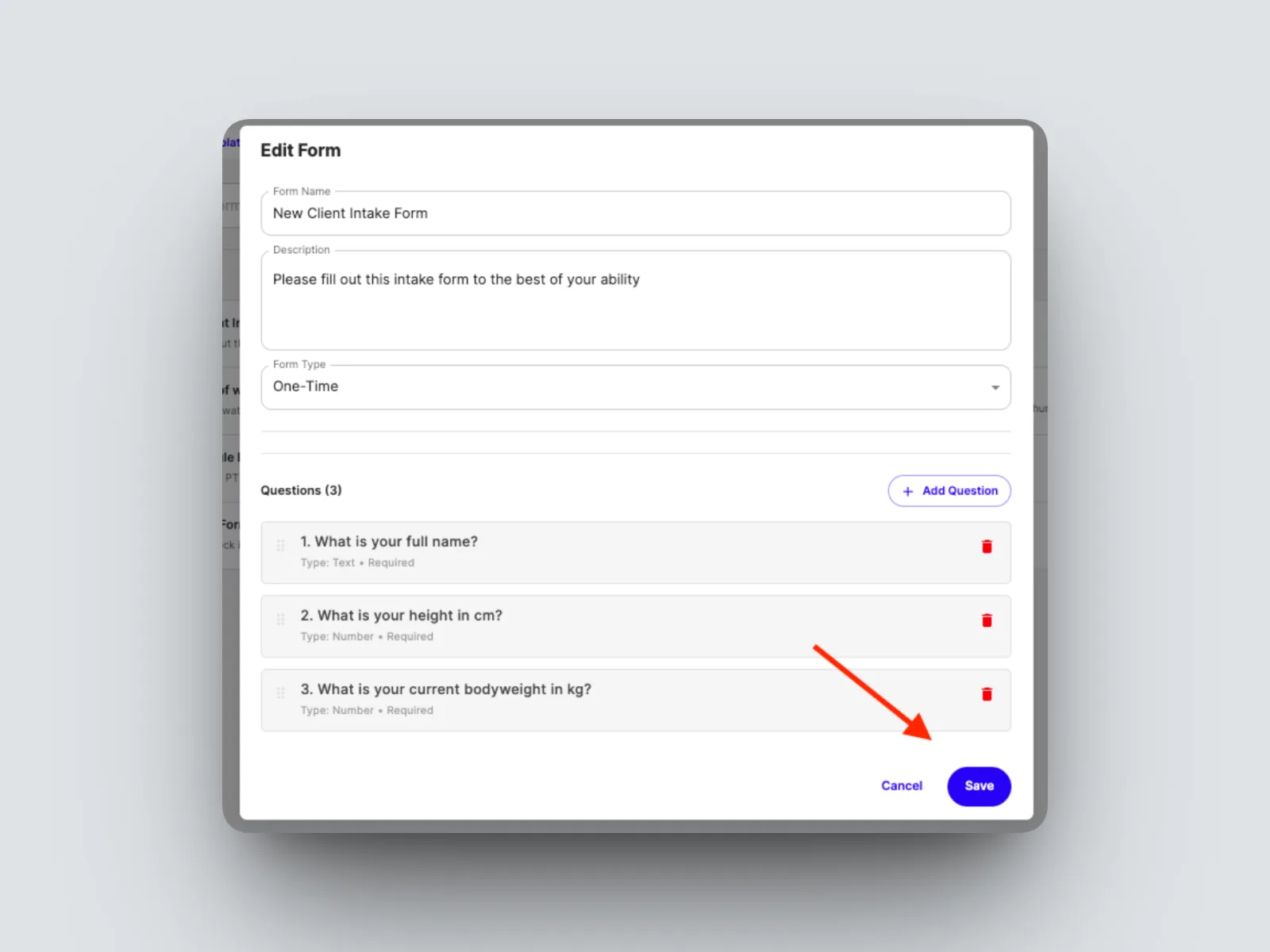
- Assign it to a new client as they come on board (click on 3 dots on Form after saving).
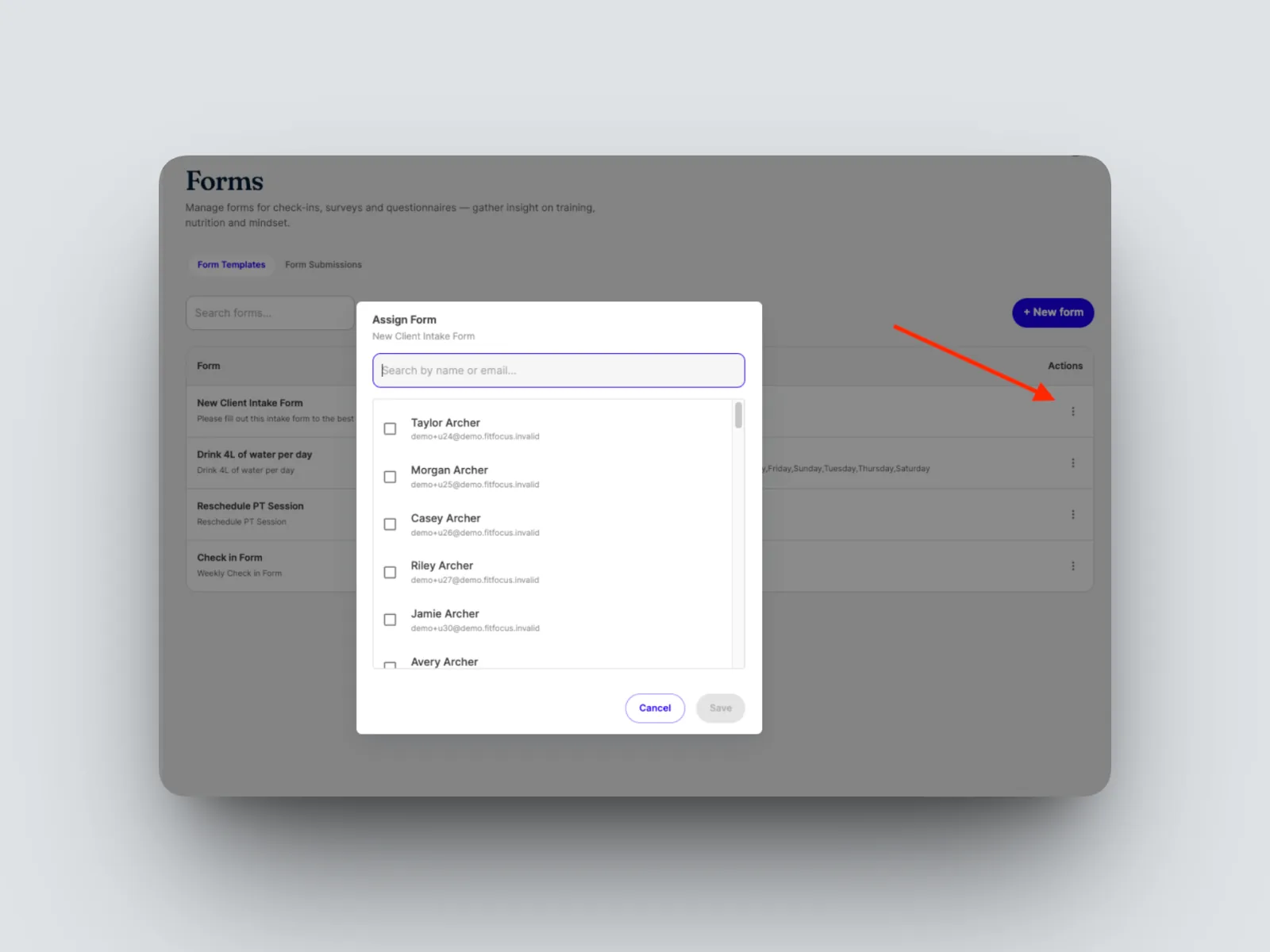
Sending an intake form works the same way as any other one-off form. See Sending a one-off (ad hoc) form.
A real coaching intake form you can copy
This is an actual 18-question onboarding form used with new clients. Rebuild it as-is, or trim it to suit your business. Every question below is set to Required.
Example form shared by coach Nick Hogan, STEALTH Conditioning.
- Height (Text)
- Current body weight (Number)
- Name (Text)
- Age (Number)
- How long have you been training? (Text)
- Any injuries or movement restrictions? (Text)
- How many days a week can you train? (Number)
- Dietary preferences or restrictions? Be as specific as you want. (Text)
- Have you tracked calories or macros before? (Yes/No)
- Preferred training location? (commercial gym, home gym, limited equipment, etc) (Text)
- Job type and activity level during work? (Text)
- Do you know your maintenance calories? (Text)
- Average daily steps? (check your health app weekly average) (Text)
- Foods you do NOT want to see in a plan (Text)
- Currently taking any supplements? (Text)
- Any other relevant information you'd like me to know? (Text)
- What are your working hours, including travel time? (e.g. work 8am to 5pm, travel at 7am and home by 6pm) (Text)
- Do you have a health wearable? (Apple Watch, Garmin, Fitbit, etc) (Yes/No)
The confirmed question types in FitFocus are Text, Number, Yes/No, scale, and date. These questions run as a single flat list, which is how the coach built it; you can group them under your own headings if you prefer.