
Welcome to FitFocus
A quick tour of the FitFocus coach platform so you know where the dashboard, menu and builder live before you start.

Welcome to FitFocus, your white-labelled coaching platform. This is where you build programs, manage your clients, and run the day-to-day of your coaching business, all under your own brand.
This article gives you a quick tour of the platform so you know where everything lives before you get started.
Your dashboard
The dashboard is the first thing you see when you log in. It is your at-a-glance view of how your business and your clients are tracking.
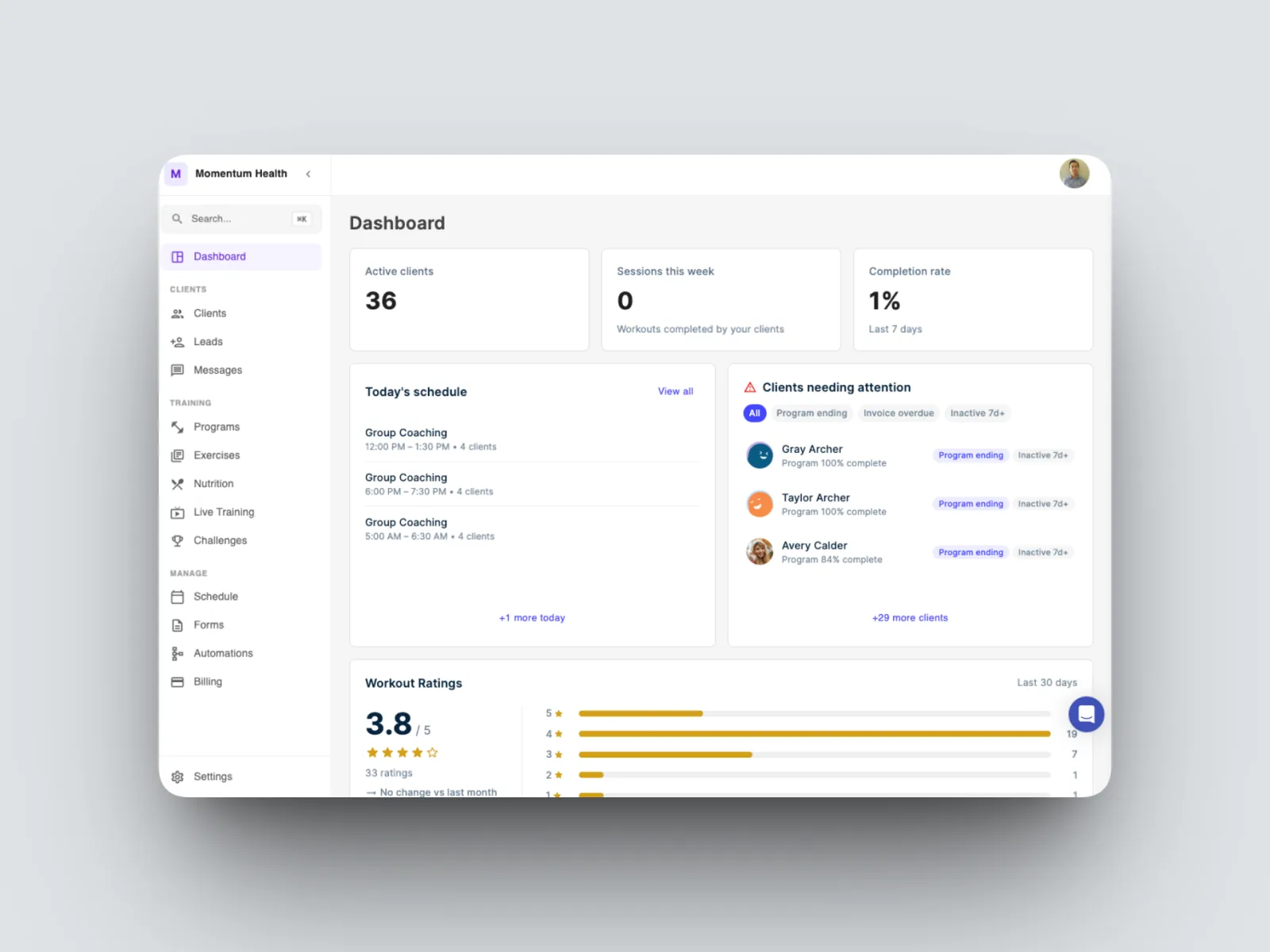
Across the top you will find three headline numbers:
- Active clients shows how many clients are currently active in your workspace.
- Sessions this week counts the workouts your clients have completed.
- Completion rate shows the percentage of prescribed workouts completed over the last 7 days.
Below that, the dashboard splits into the areas you will check most often.
Today's schedule lists your sessions for the day, including any group coaching blocks, so you can see what is ahead at a glance.
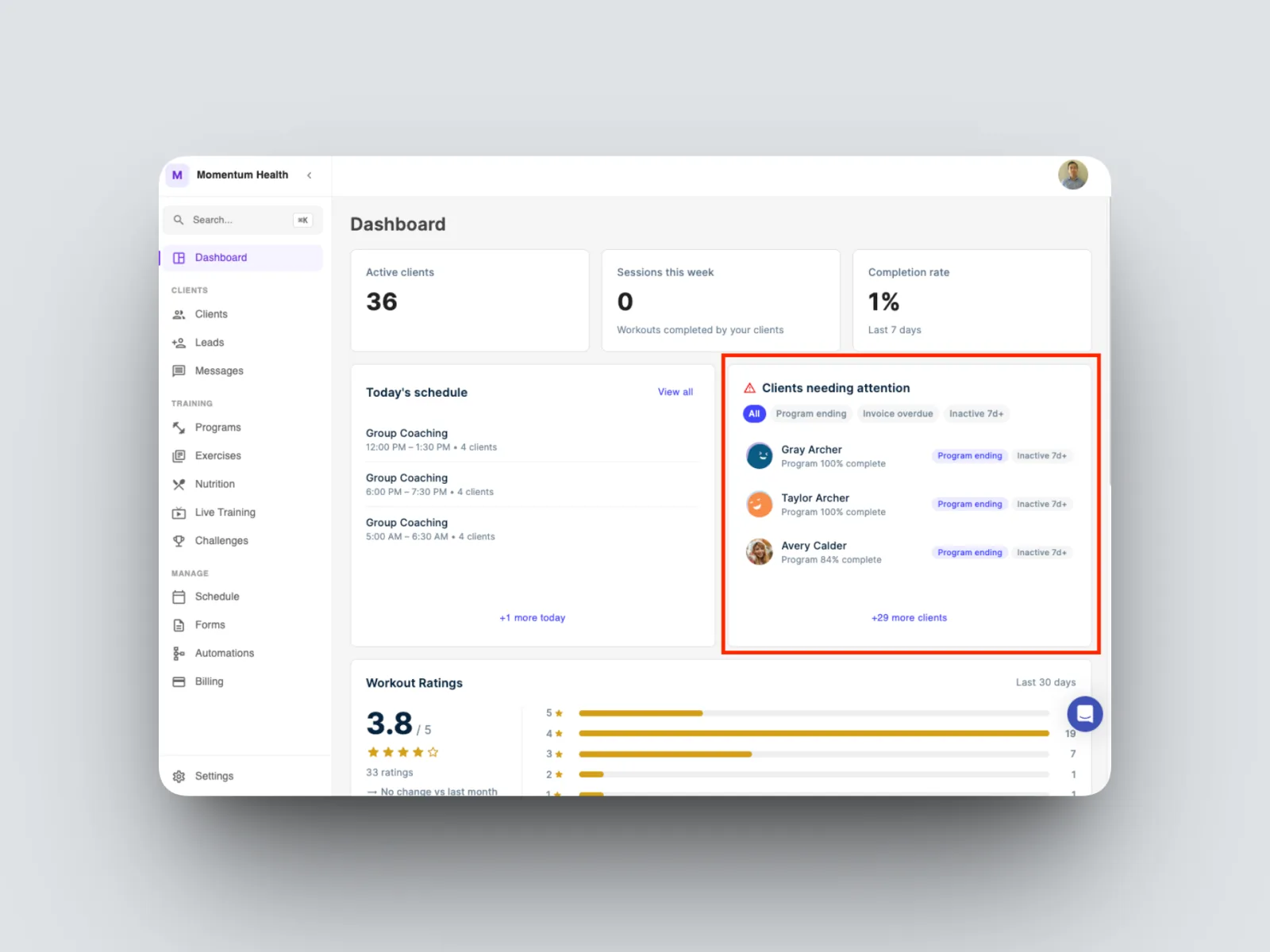
Clients needing attention flags the clients worth a closer look. A client can surface here for a few reasons: their program is coming to an end or has already finished, or they have been inactive for more than a week. You can filter the panel by program ending, invoice overdue, or inactive 7+ days to focus on one group at a time.
Workout ratings aggregates the feedback your clients leave after each workout, so you can see how your programming is landing across the last 30 days.
Recent activity is a live feed of what is happening across your client base: completed workouts and exercises, check-ins, and messages as they come through.
Finding your way around
The left-hand menu is organised into three groups.
Clients
- Dashboard is the home screen you have just toured.
- Clients is where you manage everyone you coach.
- Leads holds prospective clients you are still converting.
- Timelines is the running record of each client's activity and communication.
Training
- Programs is the program builder, where you design and assign training. This is the heart of FitFocus and the best place to start. See Build a 12-week program in one sitting.
- Exercises is your exercise library, including custom exercises and video demonstrations.
- Nutrition covers macro targets, meal plans, and food check-ins.
- Live Training is for your live and on-demand sessions.
- Challenges lets you run group challenges to keep clients engaged.
Manage
- Schedule handles your availability and session bookings.
- Forms is where you build intake and check-in forms.
- Automations takes care of recurring tasks such as check-in reminders.
- Billing manages client packages, subscriptions, and invoices.
Settings, at the bottom of the menu, is where you manage your account, notifications, and workspace preferences.
Where to start
If you are new to FitFocus, head to the program builder first. It is what sets the platform apart, and once your first program is built and assigned, the rest of the dashboard begins filling with real data. See Build a 12-week program in one sitting to get going.