
Setting up 1RM progression
Prescribe load as a climbing percentage of a client's one-rep max across a block.

1RM progression prescribes load as a percentage of the client's one-rep max, then climbs each week. It is the most precise way to drive strength work off a known maximum.
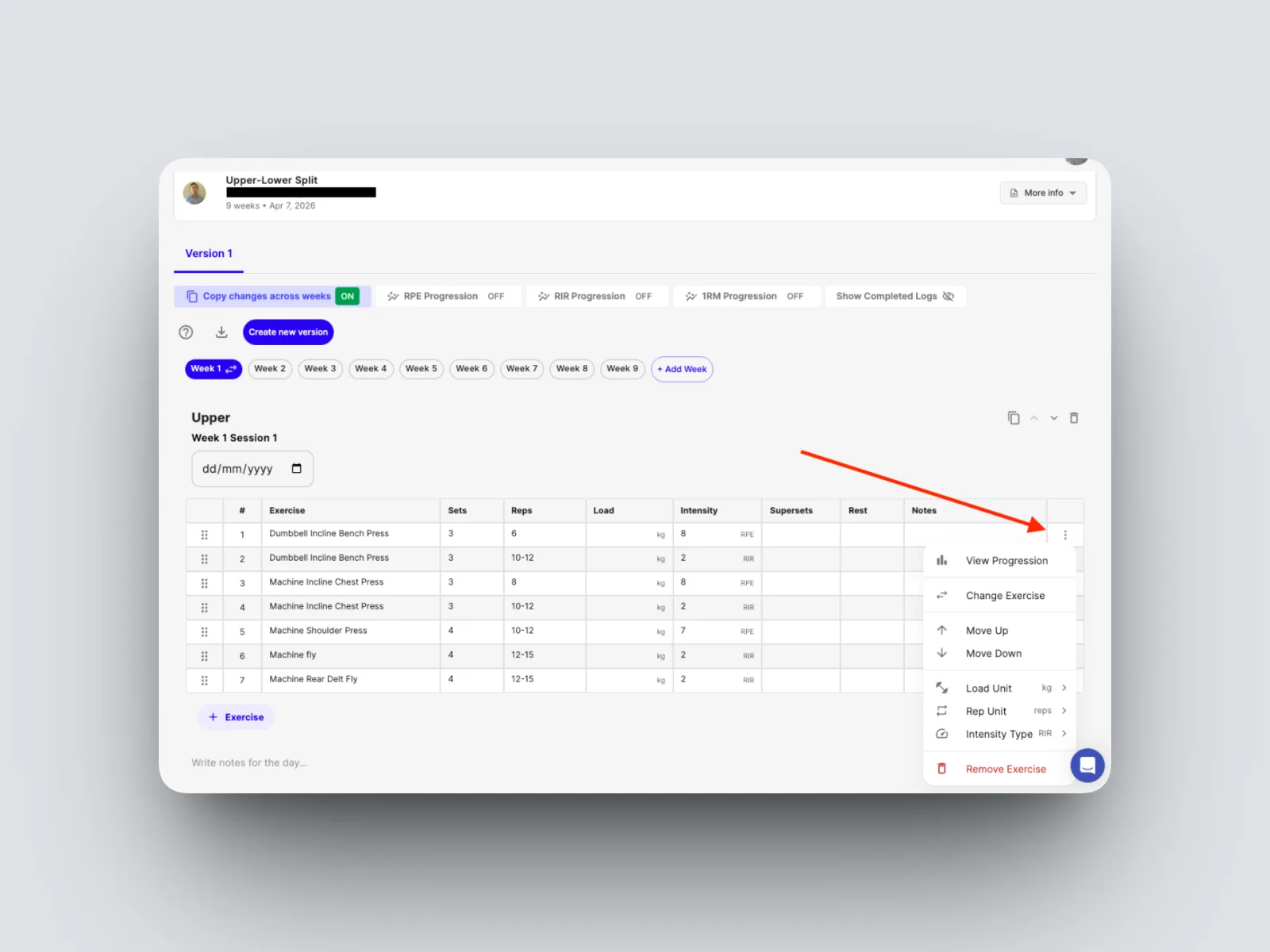
- Navigate to the 3 dots and on the row of the exercise and click to open up the options for that row and click “View Progression”.
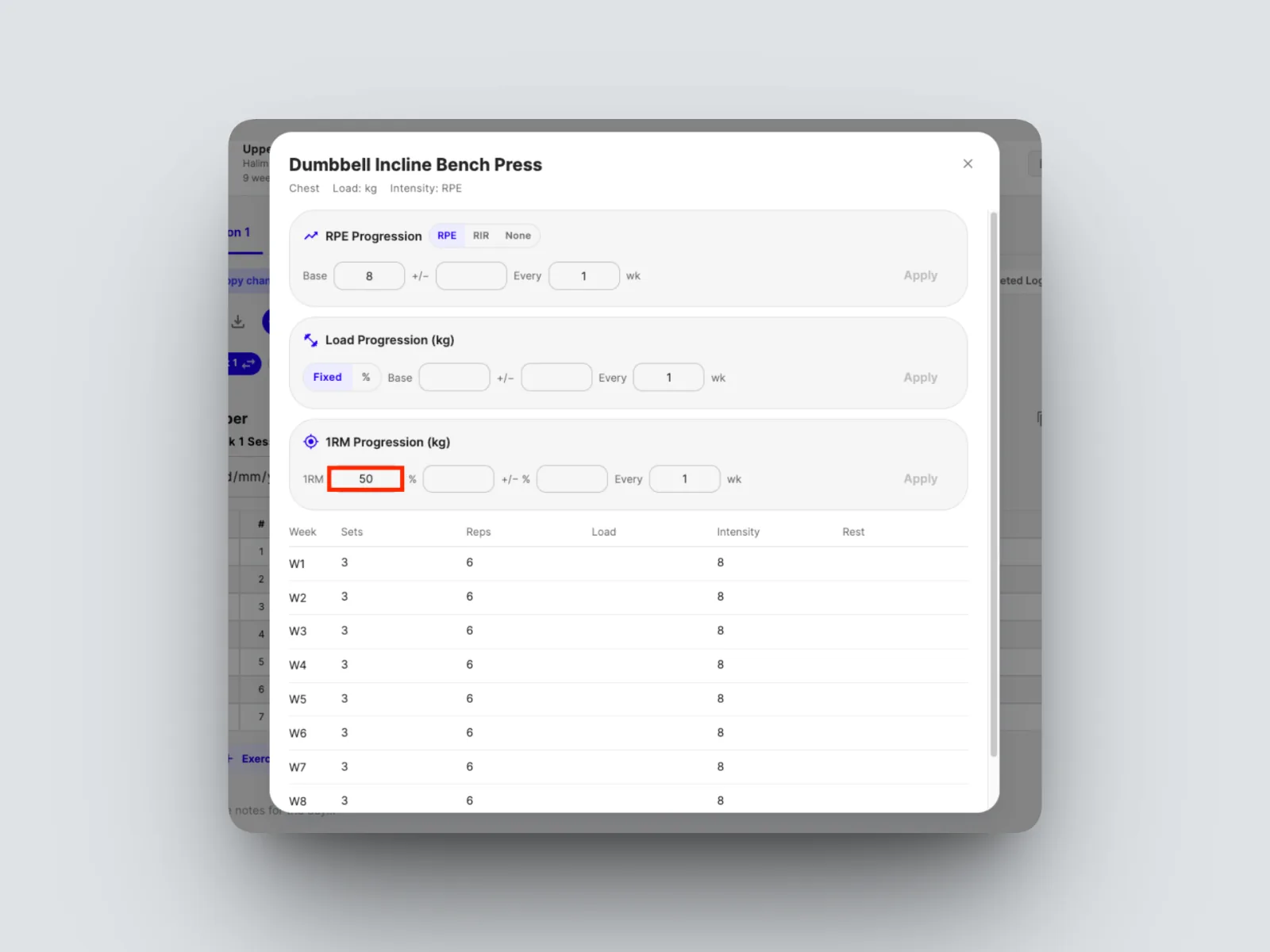
- Enter the client's 1RM for the exercise.
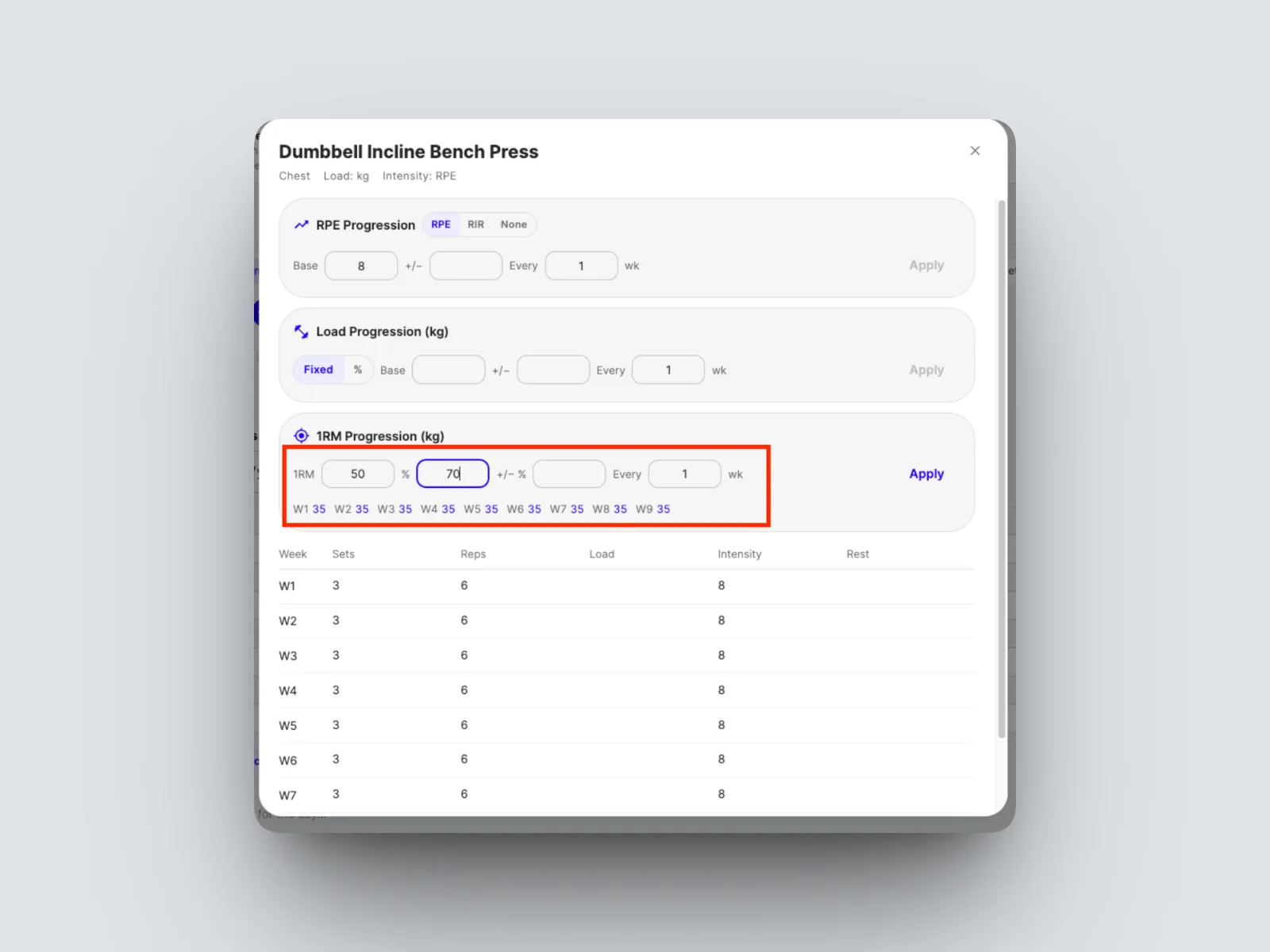
- Set the starting percentage, in this example we have put 70% of the 1RM.
- Set the weekly increase, in this example an extra 5% each week.
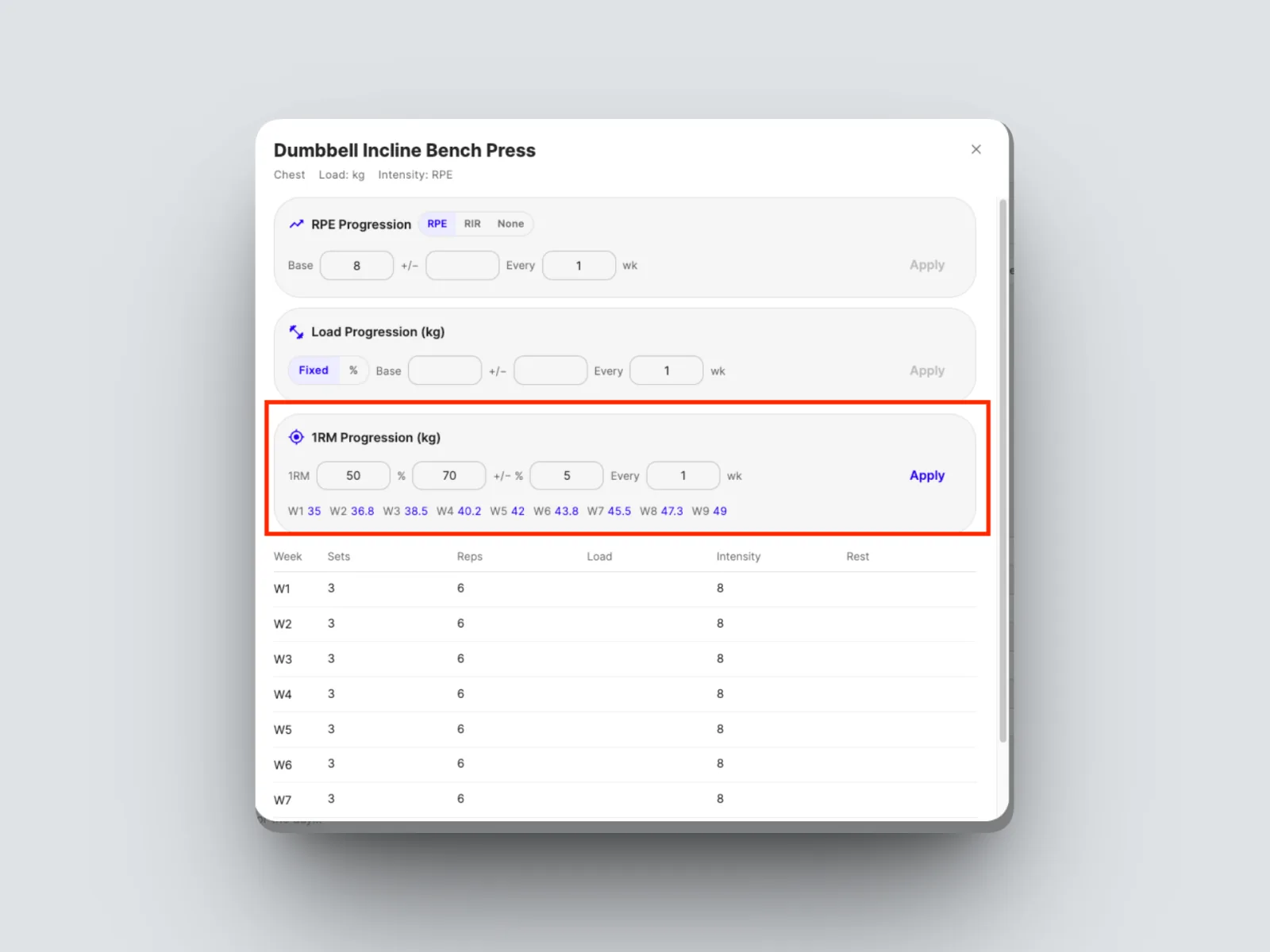
The builder calculates each week's load from the 1RM and the climbing percentage across the block. These three progression types are all set the same way on any exercise. See Build a 12-week program in one sitting.