
Building with the connected exercise library
Search your exercise library from inside the builder and use aliases to surface the right variation.

While you build a program, exercises come straight from your exercise library, so everything you have set up there is a keystroke away.
- In the builder, start typing an exercise name in a cell to search your library.
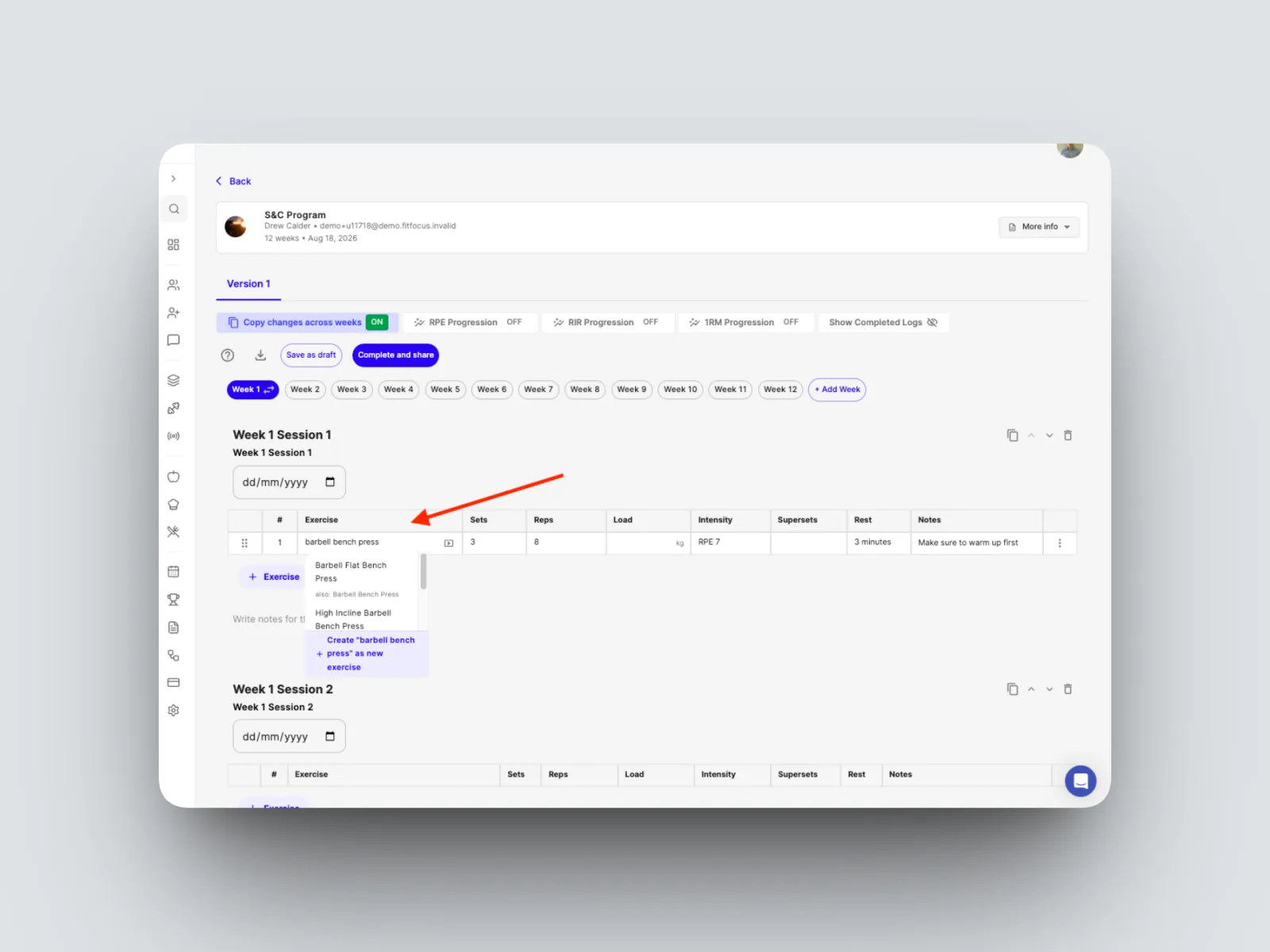
- Use an alias, the shorthand name, to surface the right variation quickly.
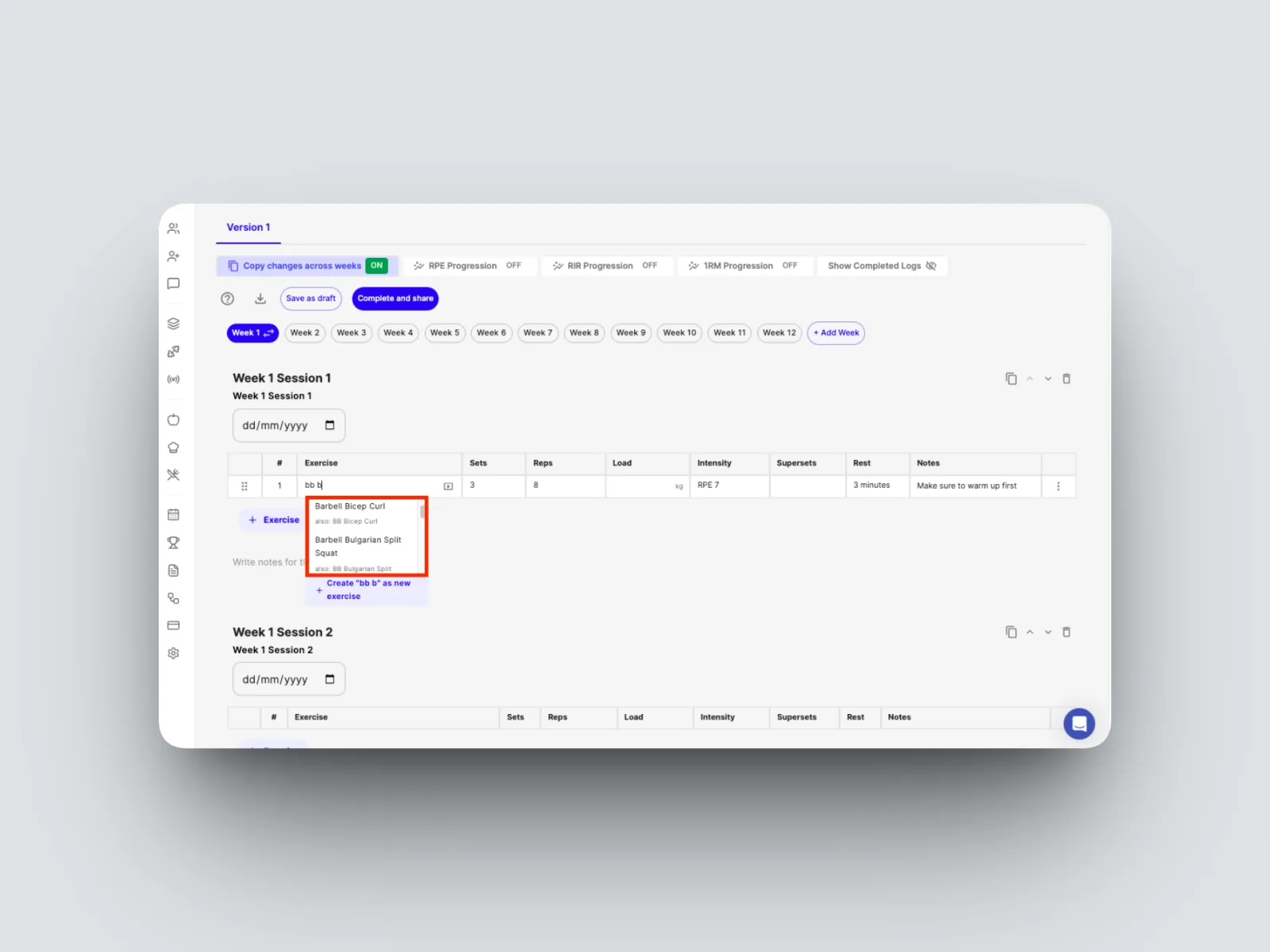
This is the builder side of the library. For how a well-kept library speeds up programming, and how to add your own exercises, see How the library feeds the builder and Adding custom exercises and video demos.