
Templates: build once, apply in seconds
Build a program once and reuse it across clients, including on-demand templates clients can self-enrol in.

Templates let you build a program once and reuse it across clients. They are also how coaches build periodisation blocks and deloads.
Creating and applying a template
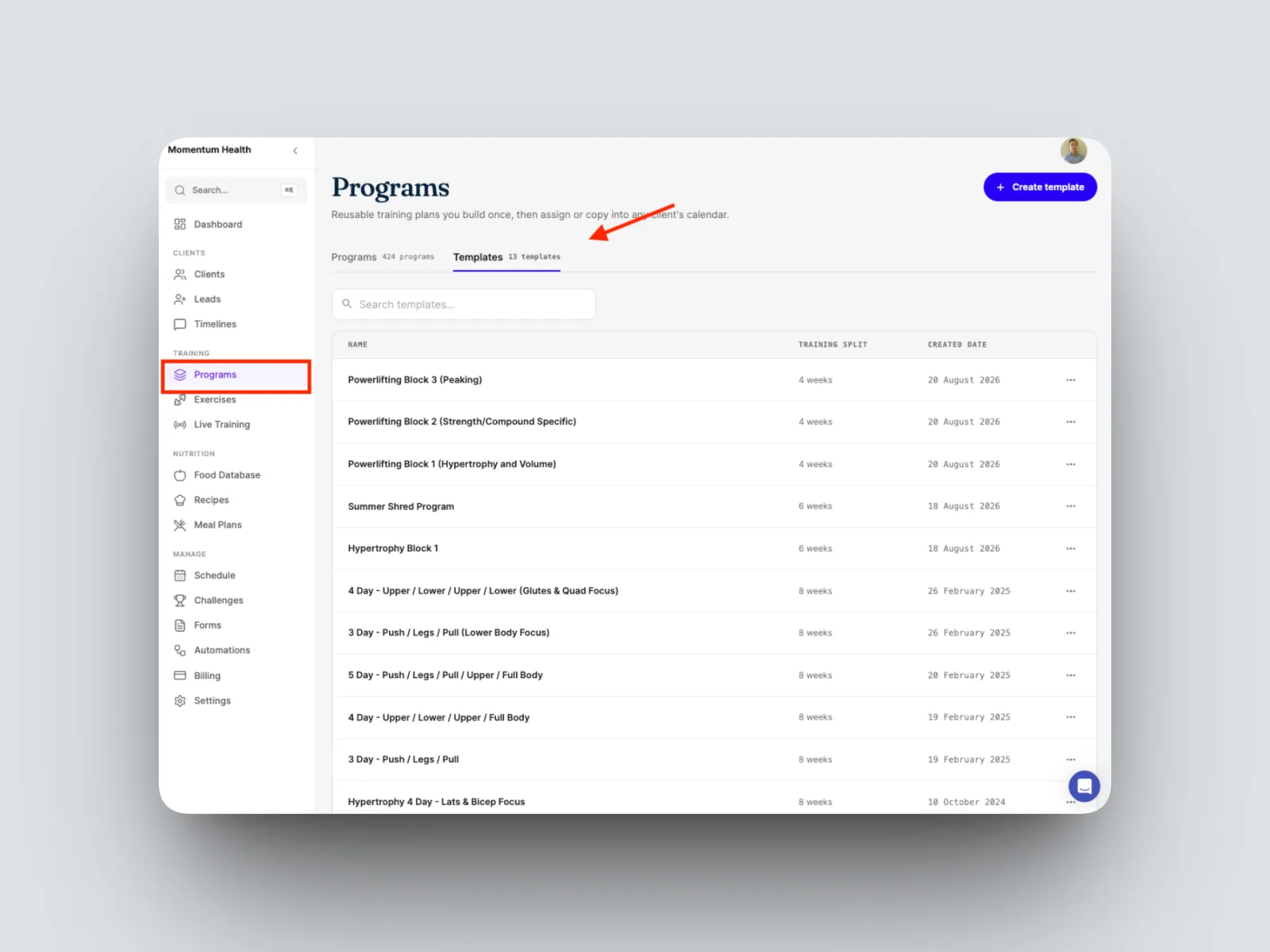
- Open the template library to see your existing templates.
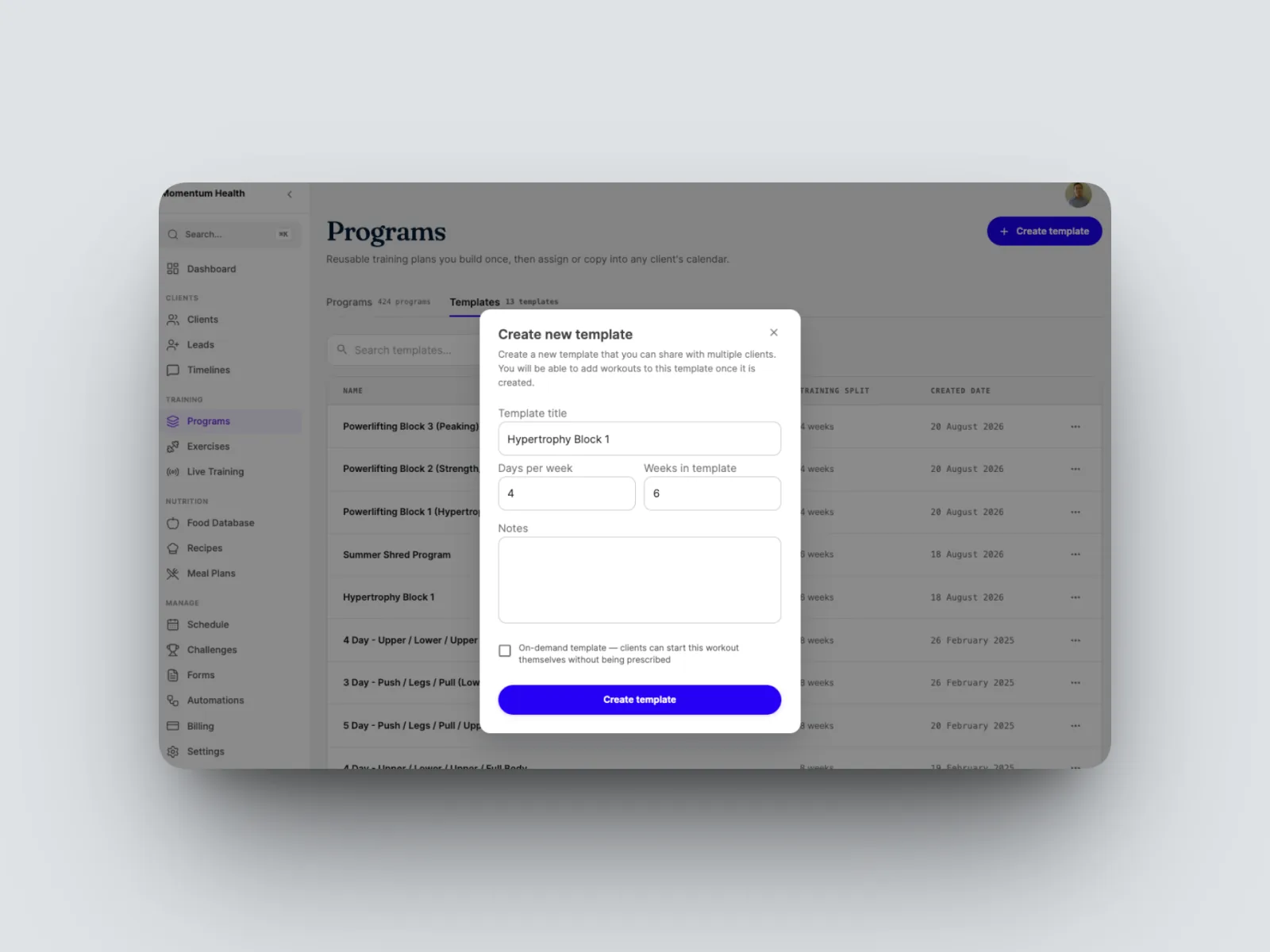
- Create a template, name it, and set the training frequency and length, for example Hypertrophy Block 1 at four days a week across six weeks. Build it out.
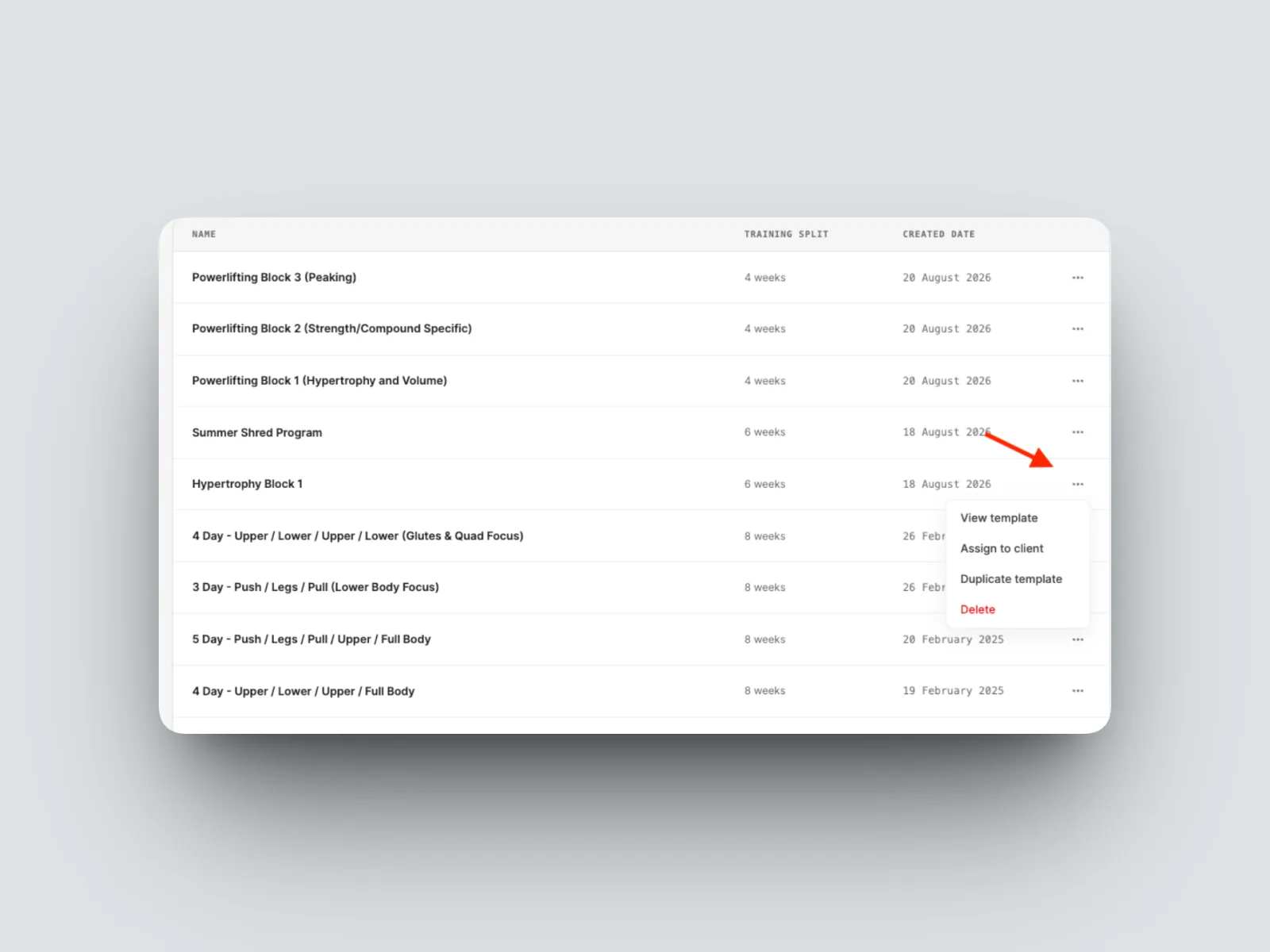
- Apply the template by assigning it to a client, or duplicate it and adjust it for a specific client.
On-demand templates
- To let clients start a workout without being prescribed it, tick On-Demand Template when creating the template.
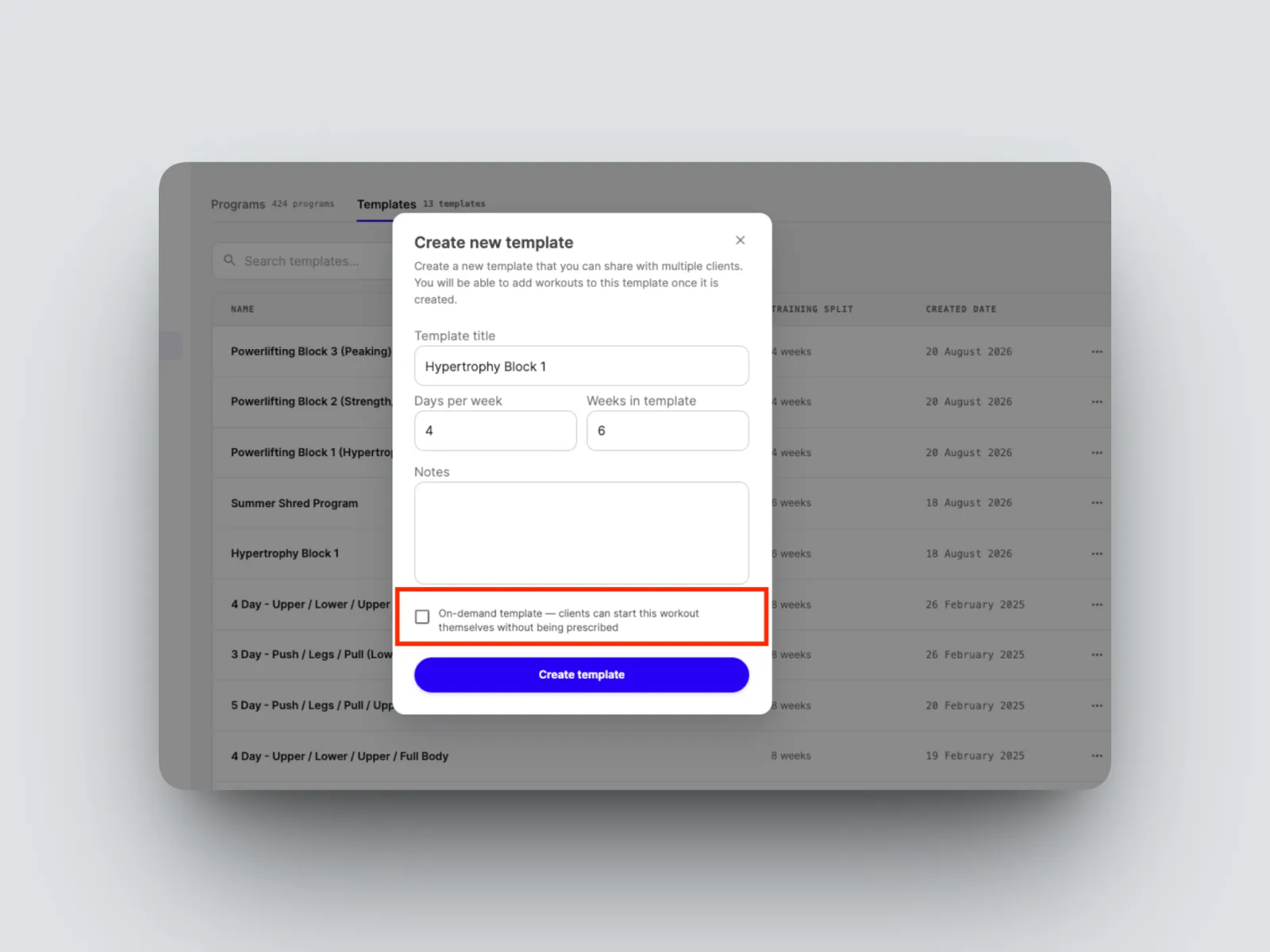
On-demand templates feed your on-demand workout library, which clients can self-enrol in and follow at their own pace from their app. See The on-demand workout library.