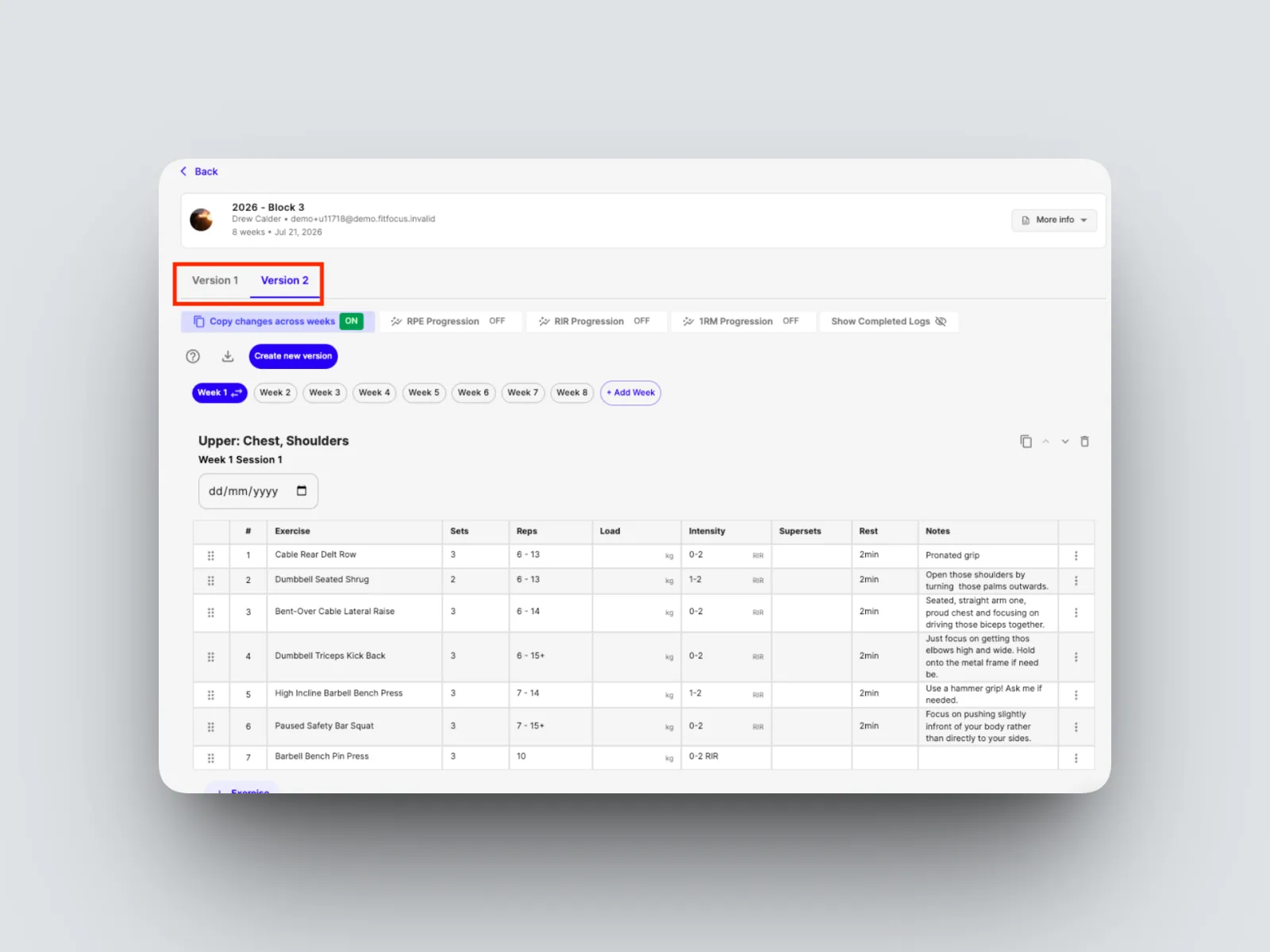
Assigning, editing and swapping a client's program
Assign a program, edit it safely while a client follows it, and keep a full version history.

Once a program exists, you assign it, edit it safely while your client is following it, and keep a full history of changes.
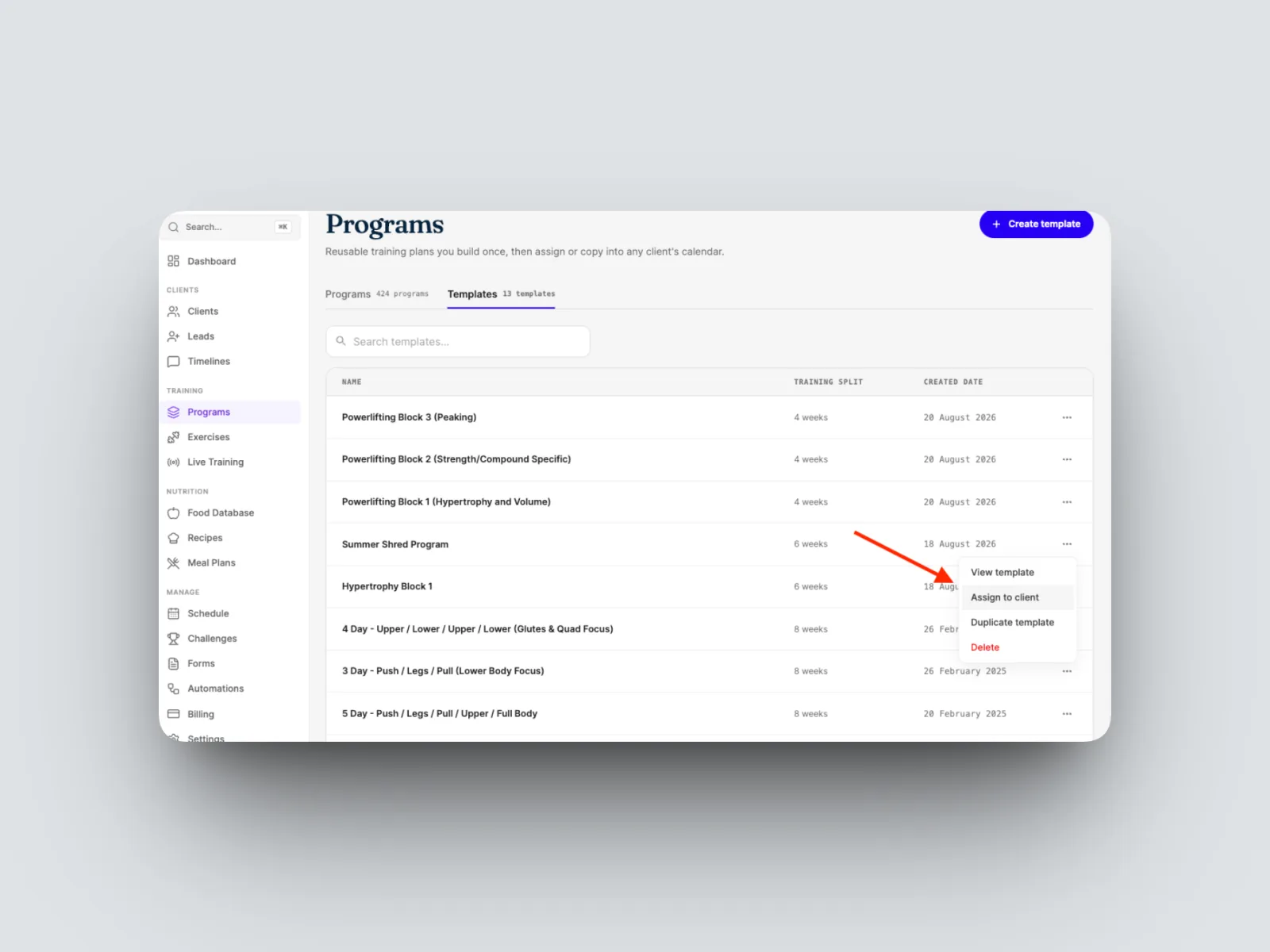
- Assign a program to a client, either one you have built or one from a template.
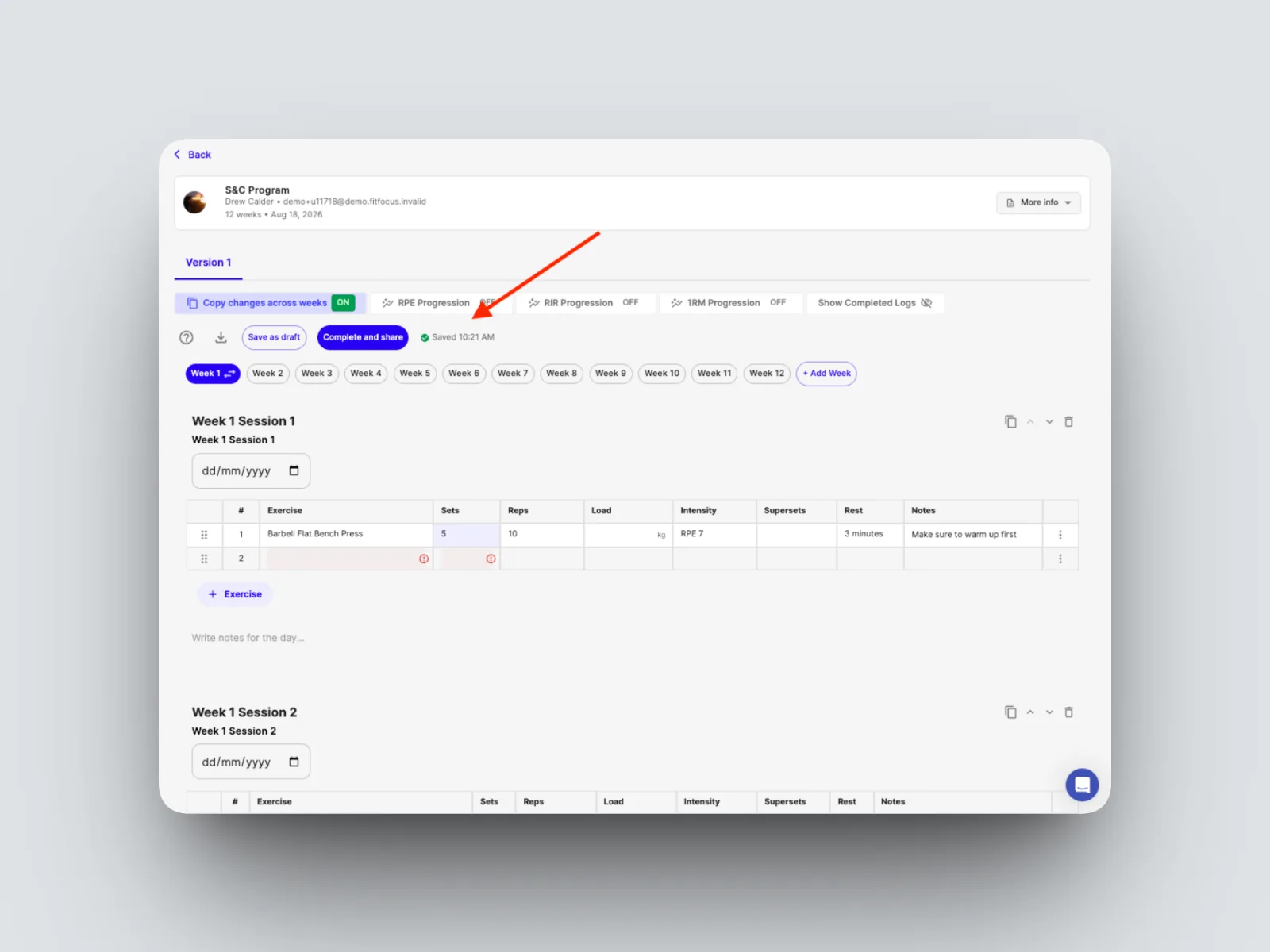
- While a program is a draft, your edits autosave as you go.
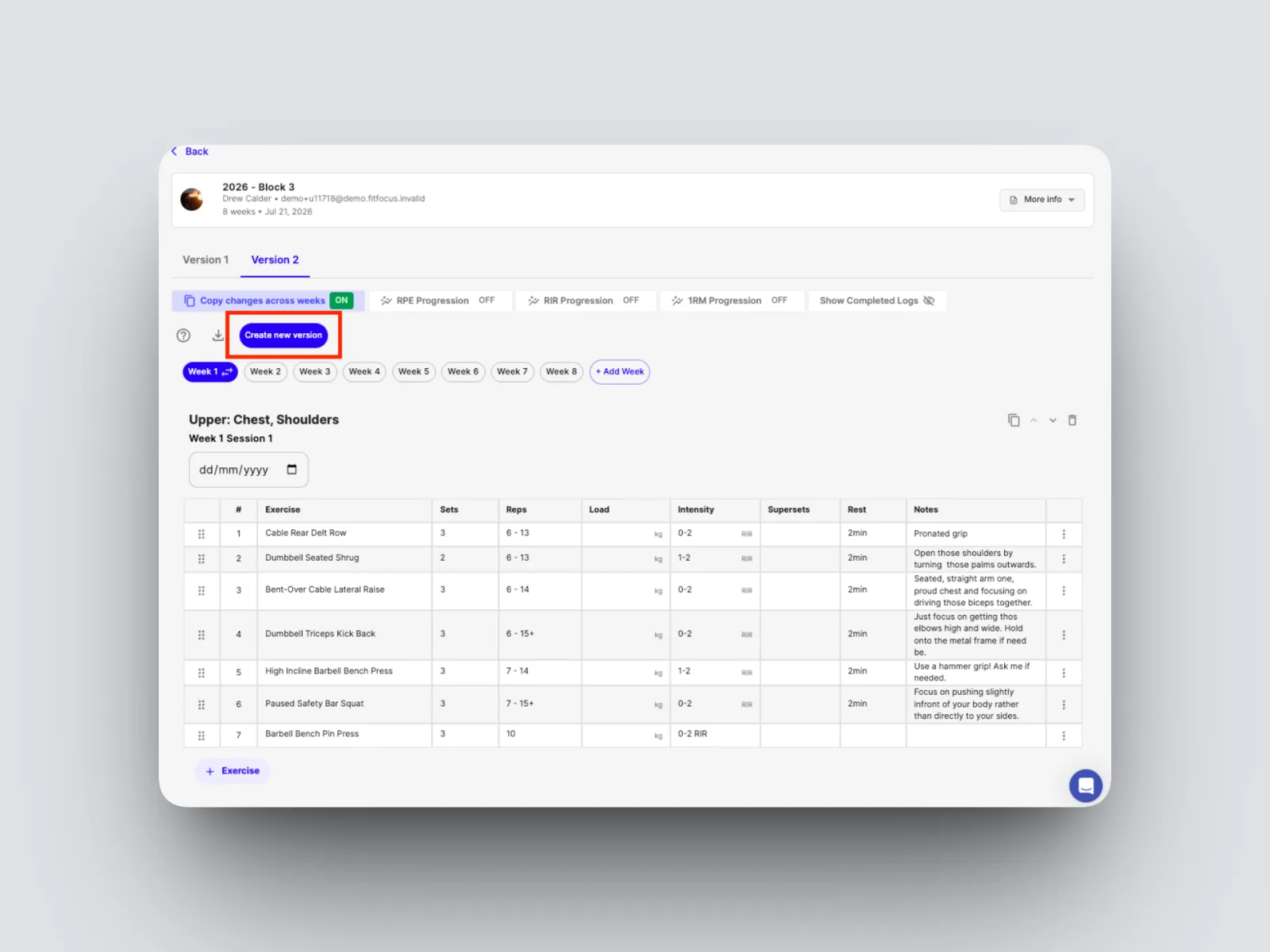
- Once a program is live, make changes by selecting Create a new version. The client's app updates silently in the background, so they are never interrupted.
- Refer back to an earlier version at any time from the program's version history.