
Sending a one-off (ad hoc) form
Send a client a quick one-time question that doesn't repeat, such as a scheduling or billing request.

Sometimes you need a quick, one-time question rather than a recurring check-in, such as chasing a billing issue or asking a client for their availability. Ad hoc forms handle exactly that.
- Open Forms from the left-hand menu and create a new form.
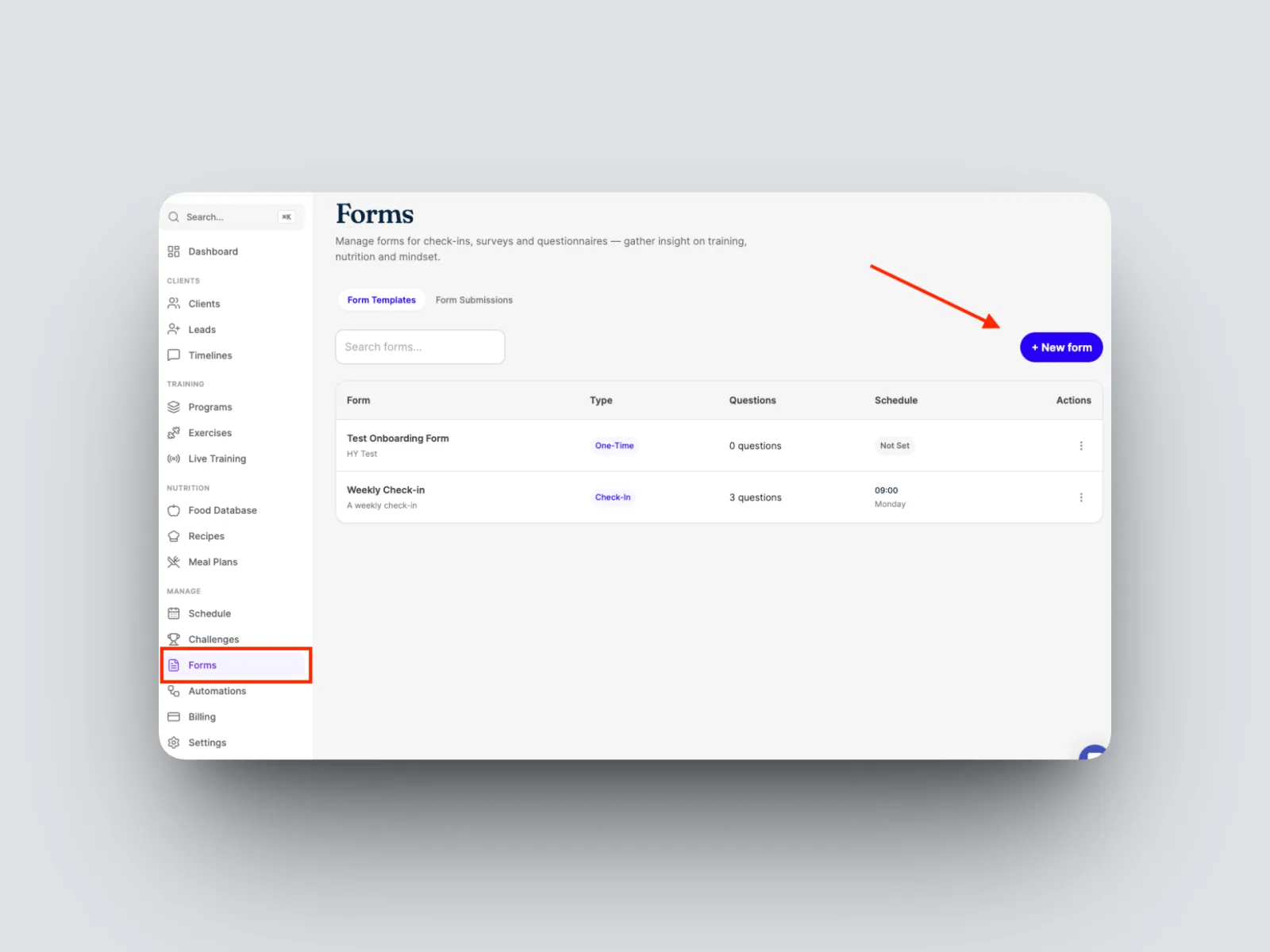
- Name the Form, For this example we are asking the client for the dates they would like to freeze their membership as they are going overseas on holida
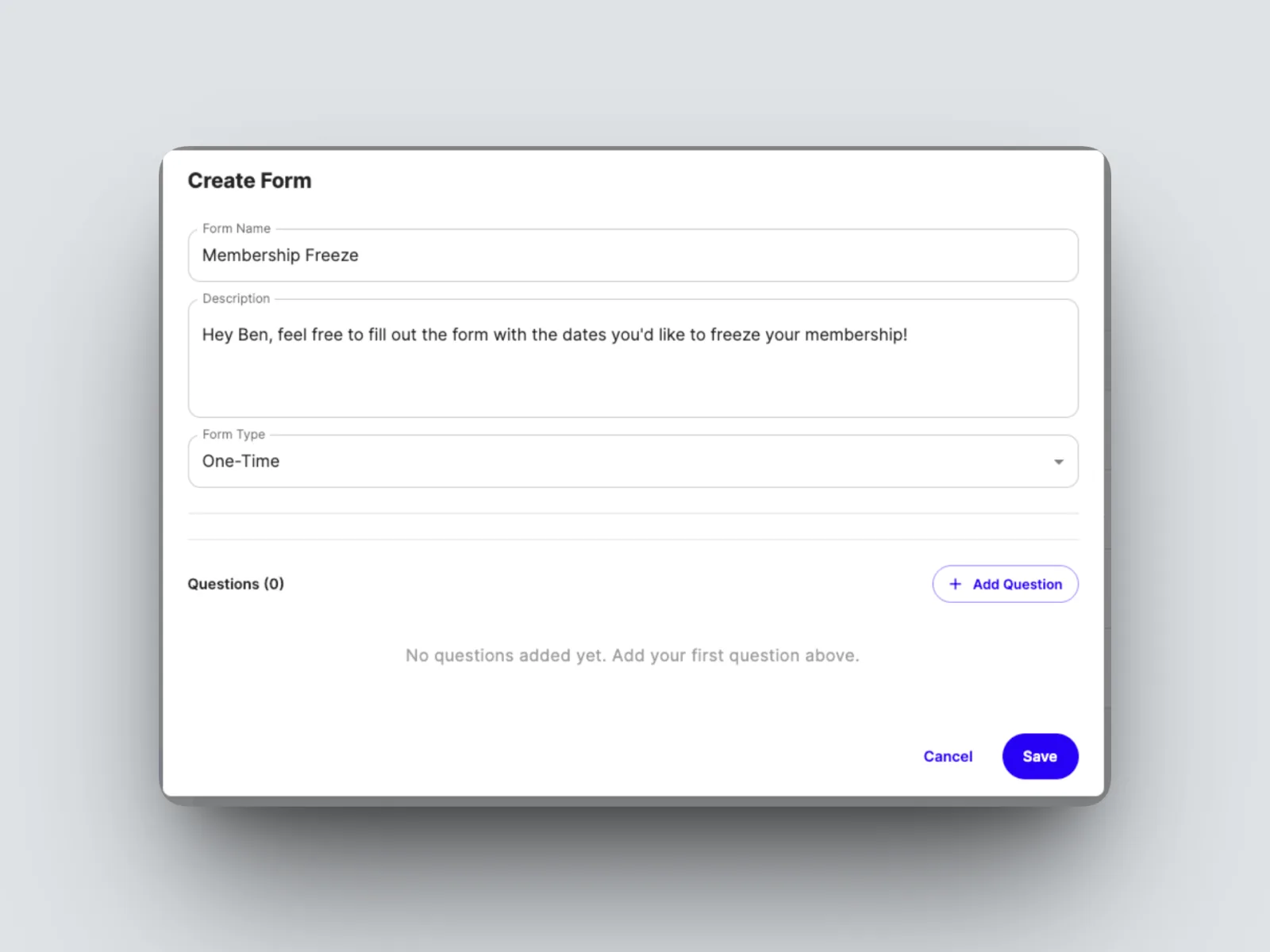
- Add your question and choose its type. For a scheduling request, a date question works well, for example “When are you available next?”
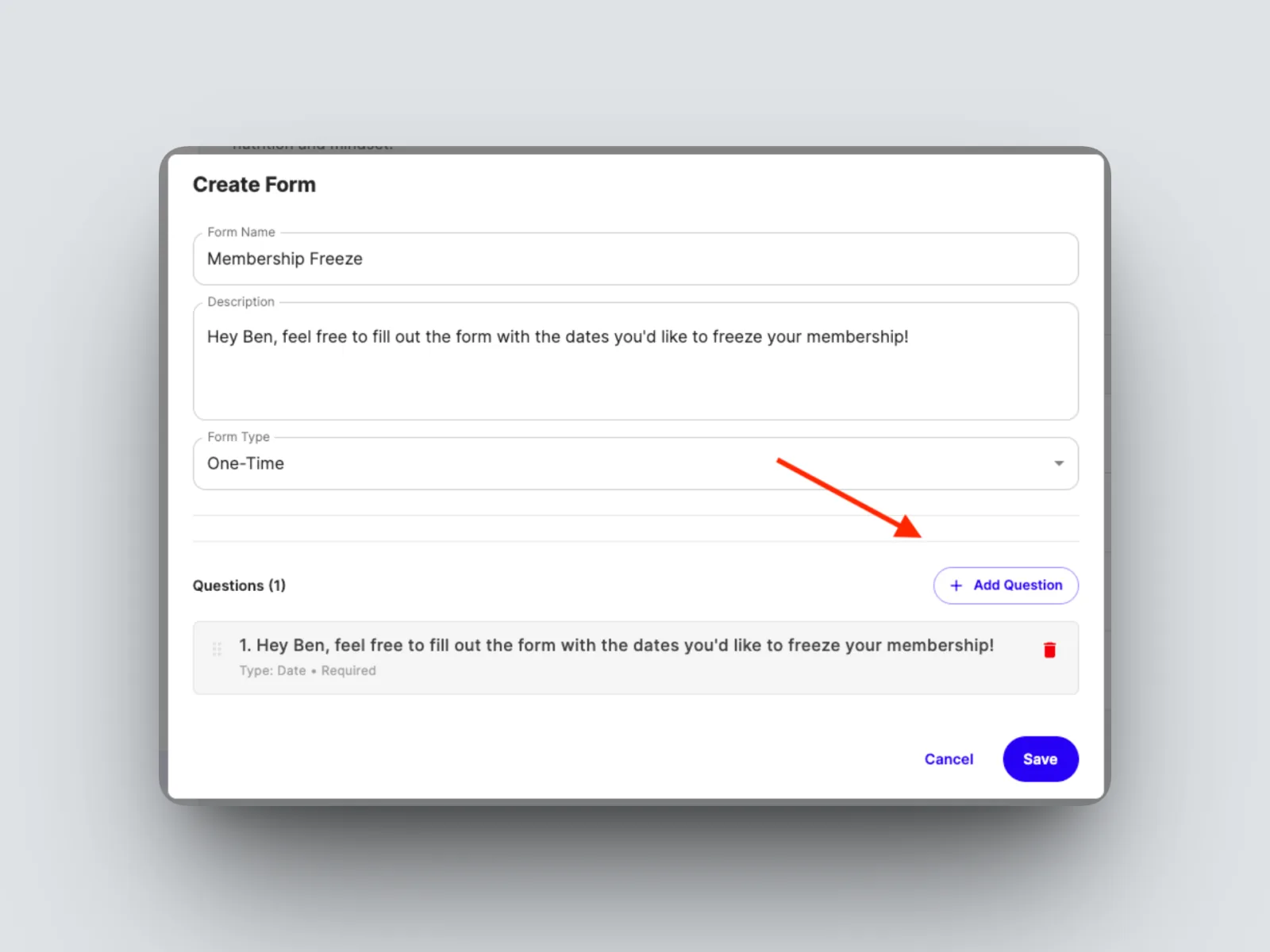
- Save and assign to your client.
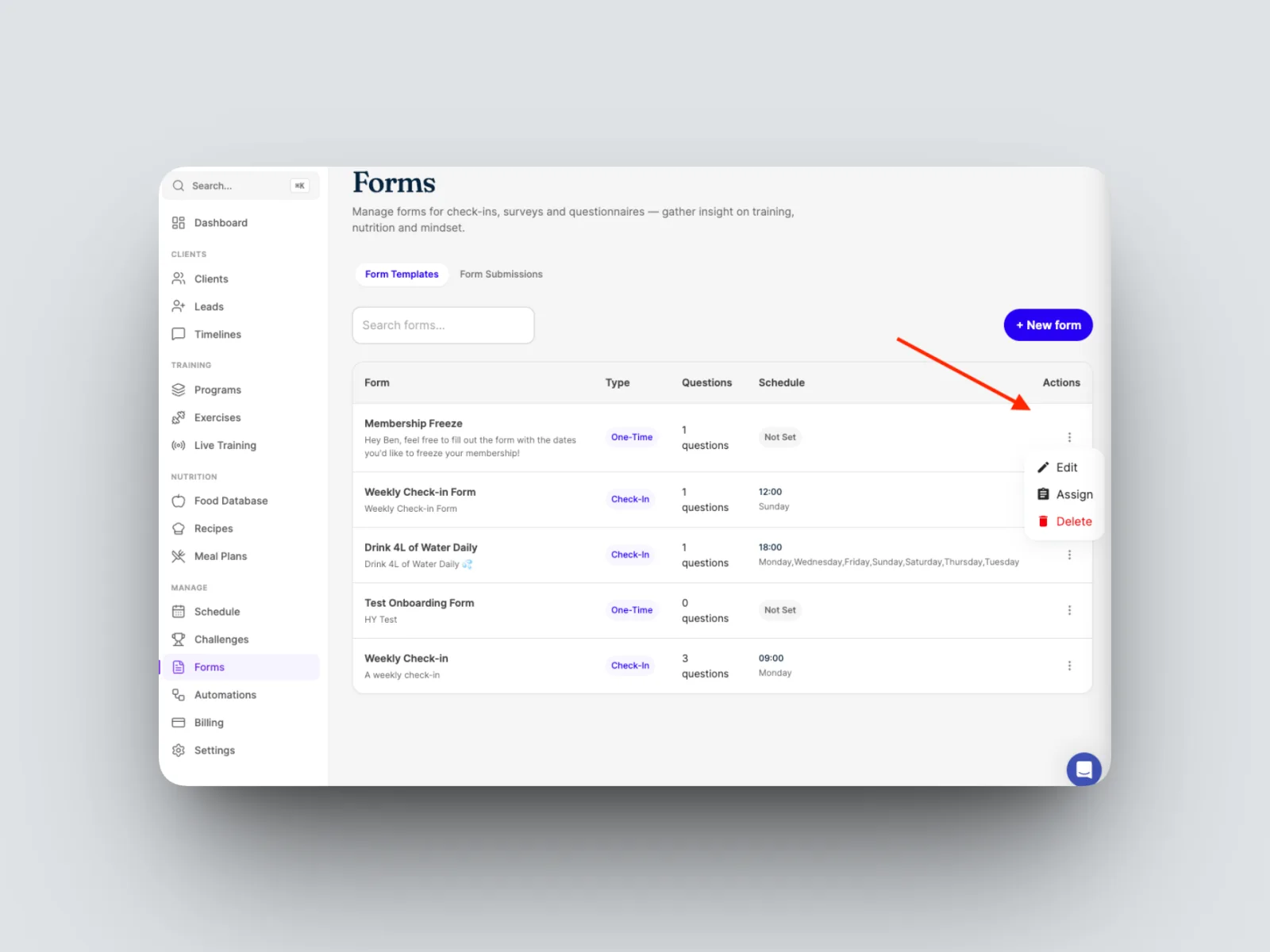
Your client receives the form once and can respond. Unlike a scheduled check-in or a habit reminder, an ad hoc form does not repeat.